
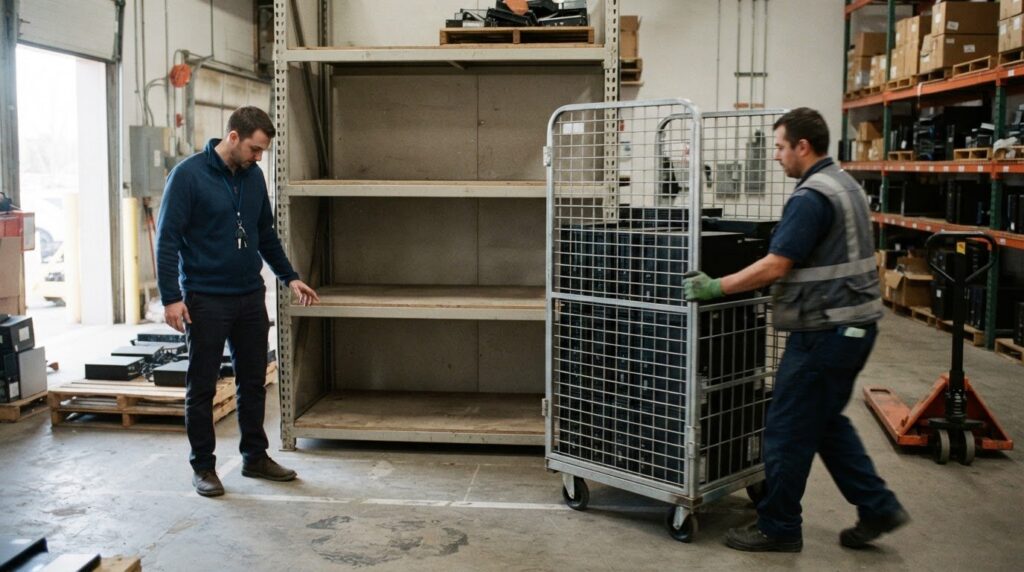
A clean-looking asset register can still include equipment that has already left the organization. Ghost assets are IT devices no longer physically present but still listed in company records. Understanding the tax implications of ghost assets tied to deprecated IT equipment starts with documenting retirement instead of leaving a disposal unrecorded. The mismatch can distort asset balances and depreciation records, and may affect tax reporting.
Retired equipment should no longer appear as active in the books. But if records aren’t updated, an organization may continue reporting the asset, paying for related licences or support, or including it in audit and insurance records. This article explains what qualifies as a ghost asset, how to record an equipment retirement, and how an unrecorded disposal can affect taxes, financial statements, operating costs, and audits. It also shows how aligning IT, finance, and compliance records supports accurate reporting and responsible equipment handling.
Key Takeaways
- Identify equipment that remains on the asset register after it has left your organization, and understand why a register-to-ledger match may not catch it.
- Learn why a documented retirement entry should clear an asset’s original cost and accumulated depreciation rather than simply deleting the record.
- See how outdated asset records can affect financial statements, tax reporting, operating costs, and audit readiness.
- Understand how secure data destruction, electronics recycling, and charitable computer donations can support responsible equipment retirement.
What are ghost assets in accounting?
A ghost asset is equipment that remains in accounting records after it is no longer physically held or used. A laptop retired from service but still listed in the fixed-asset register is one example. The reverse can also happen: equipment is present at a site but missing from the records. Either mismatch weakens the balance between recorded assets and physical inventory.
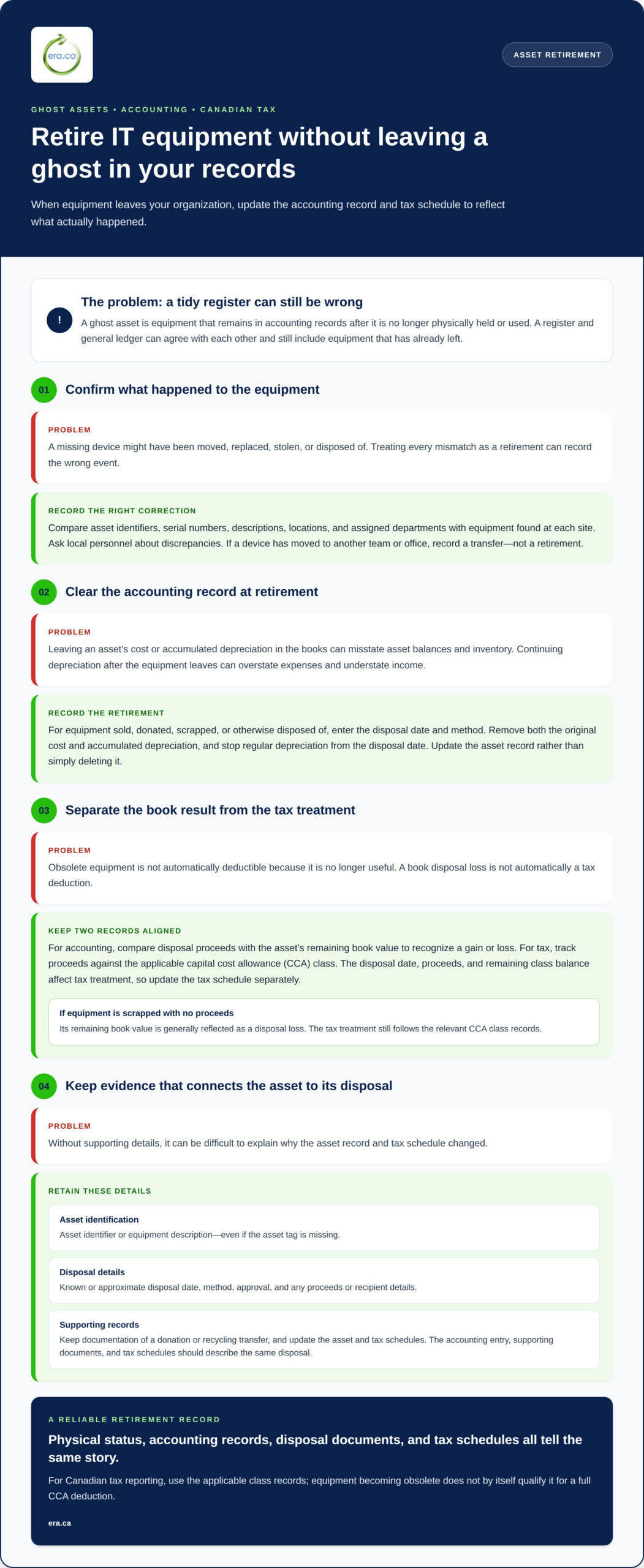
Start with the fixed-asset register, including serial numbers, descriptions, locations, and assigned departments. Compare those details with equipment physically found at each site. A laptop listed at one office but held by another team may need a transfer entry, not a retirement. Ask local personnel about moves, replacements, thefts, and disposals. Their knowledge can help explain gaps that a ledger alone cannot resolve.
Physical inventory and fixed-asset ledger audits serve different purposes. A physical count tests whether recorded property exists, while the ledger review checks whether cost and accumulated depreciation are accurate. Record each match, missing item, and unregistered device, then investigate discrepancies before changing the register. A fixed-asset register can reconcile to the general ledger while both still incorrectly include equipment that has left the organization.
For Canadian tax, obsolete IT equipment does not automatically qualify for a full capital cost allowance (CCA) deduction just because it is no longer useful. CCA follows class-based tax records, and the disposal date, proceeds, and remaining class balance affect the tax treatment. Keep the accounting retirement and tax schedule aligned, and calculate any tax adjustment using the applicable class records.
To reconcile IT asset registers with accounting and tax records, match asset identifiers and locations, investigate differences with site staff, document each disposal or transfer, and update the relevant records. For example, after a replacement laptop is retired, remove its predecessor from the active register. If a federal funding agreement applies, review its inventory terms and retain records showing how funded equipment was tracked and disposed of.
Recording asset retirements and disposal gains or losses
Record a retirement when equipment is sold, donated, scrapped, or otherwise disposed of. The accounting entry, supporting documents, and tax schedules should all describe the same disposal.
Removing Retired Assets from Records
A retirement entry removes a fixed asset’s cost and accumulated depreciation from the accounting records. Leaving either amount in place can misstate asset balances and inventory. Enter the disposal date and method, then clear both ledger amounts rather than deleting the asset record. Update the tax schedule separately, since accounting book value and the remaining capital cost allowance class balance are not necessarily identical.
Obsolete computer equipment is not automatically deductible just because it no longer works. Record its actual sale, scrapping, donation, or other disposal, then apply the Canadian tax treatment to the relevant class balance and proceeds.
Disposal Gains and Losses
A disposal gain or loss compares proceeds with the asset’s remaining book value. Sale proceeds and carrying value affect the financial result differently from a tax adjustment. In the ledger, remove the original cost and accumulated depreciation, record any proceeds, and recognize the resulting gain or loss. If equipment was scrapped without proceeds, its remaining book value is generally reflected as a disposal loss.
For tax purposes, track proceeds against the applicable capital cost allowance class rather than treating the book loss as an automatic deduction. Update the personal property tax record as needed after disposal.
Asset Valuation and Depreciation Records
Asset valuation records show original cost, accumulated depreciation, and remaining book value at retirement. These details matter because they support the disposal calculation and help explain changes between accounting and tax records. Stop regular depreciation from the disposal date; don’t continue charging depreciation on equipment that has left the business. If the date is uncertain, retain the evidence used to establish when the asset was disposed of.
If a computer still appears on the register after being scrapped, correct the record instead of carrying its old valuation forward.
Documentation for IT Asset Disposal
Disposal documentation links the asset record to what happened to the equipment. Keep the asset identifier or description, known or approximate disposal date, method, approval, and any proceeds or recipient details. These records support the accounting entry and tax schedules if the Canada Revenue Agency reviews the transaction. A disposal form can identify equipment by description even when its asset tag is missing.
For donated or recycled equipment, retain records showing the transfer or recycling and update the asset and tax schedules. Where equipment is ready for recycling, free electronics recycling can provide a responsible next step.
Effects of ghost assets on financial statements
A laptop scrapped years ago can remain on a balance sheet if its retirement was never recorded by accounting. The record may still show historical cost and accumulated depreciation, even though the equipment is gone. If depreciation also continues after disposal, expenses may be overstated and income understated. Even a fully depreciated device can inflate gross asset cost and accumulated depreciation, making the statements harder to interpret.
Separate physical status from accounting status. For each asset, compare the IT asset management (ITAM) record with the fixed-asset ledger, then mark whether the equipment is in service, transferred, retired, or unresolved. A laptop moved to another office needs a location update; a scrapped laptop needs a supported retirement entry. This distinction helps finance update the right record without treating a transfer as a disposal.
Accurate reporting depends on coordination between IT, finance, and compliance. IT knows whether a device remains in use, finance maintains cost and depreciation entries, and compliance tracks relevant controls and reporting evidence. A shared retirement notification can connect those responsibilities. Without that handoff, an IT inventory may show a device as decommissioned while accounting records still show it as active.
Integrating ITAM with financial systems can reduce mismatches by sharing asset identifiers, status changes, and disposal dates. For example, a service-desk record for a replaced laptop can prompt finance to review its fixed-asset record. Integration does not replace review: teams still need to resolve unmatched serial numbers, duplicate entries, and differences between recorded and physical locations.
During financial reporting or due diligence, unexplained differences between recorded assets and actual equipment can prompt follow-up. A buyer reviewing several years of records may ask why retired computers remain on the balance sheet or why depreciation continued. Reconcile the asset schedule with physical inventory, document adjustments, and pass corrected information to tax reporting. This gives decision-makers a clearer view of assets, expenses, and reported income.
Costs and audit risks from ghost assets
Ghost assets can create expenses and reporting questions long after equipment leaves service. Understanding the tax implications of ghost assets tied to deprecated IT equipment shows why accurate records matter beyond the balance sheet.
Costs of Ghost Assets
Ghost-asset costs include payments or decisions tied to equipment no longer in use. A retired laptop left active in a tracking system may still be associated with maintenance, software licences, or support agreements. Review those records to help prevent payments for services tied to devices the organization no longer uses.
Outdated counts can also lead to unnecessary purchases. If an IT manager believes a recorded laptop is available, they may delay replacing a critical device. If it is actually gone, the organization may order another unnecessarily. Match service agreements and purchasing plans to the equipment’s actual status, then document confirmed disposals. These checks help contain costs without assuming every discrepancy creates a tax adjustment.
Audit Risks from Ghost Assets
Audit risk arises when an organization cannot support an asset’s existence, location, or disposal. An auditor might select a laptop from the fixed-asset listing and find neither the device nor a disposal record. That gap can prompt questions about inventory controls, valuation, and the accuracy of financial reporting. Clear documentation helps explain whether the equipment was transferred, sold, donated, or scrapped.
Tax records can also become inconsistent when a filing includes equipment already disposed of. The tax implications of ghost assets involving deprecated IT equipment depend on the relevant records and reporting context, not simply the mismatch itself. Reconcile disposal evidence with accounting and tax schedules, and retain explanations for adjustments. This creates a traceable record for future reviews.
To strengthen audit readiness, compare the asset register with physical inventory and investigate each missing item with the responsible department. Keep retirement approvals, disposal dates, and sale or transfer records together. If retired electronics need a responsible end-of-use route, arrange free electronics recycling while maintaining separate documentation for accounting records and tax filings.
Electronic Recycling Association (ERA)
When retired IT equipment is ready to leave operational use, the Electronic Recycling Association (ERA) provides a responsible next step. Its free electronics recycling and donation program, secure data destruction, electronics pickup, and charitable computer donations support different outcomes for surplus devices. Equipment selected for donation may still be useful, while devices intended for recycling can be handled through an end-of-use process. Keep disposal approvals and accounting records with your organization’s asset documentation: recycling or donation supports equipment handling, not tax-record updates. Align the physical handoff with the retirement entry so operational and financial records reflect what happened. Contact ERA to discuss electronics recycling or charitable computer donations.
Make the next equipment retirement easier to manage
Build a clear handoff into routine IT changes so replacing a device does not leave its predecessor active in the records. Assign responsibility for recording equipment status and disposition as part of the retirement process. Understanding the tax implications of ghost assets associated with deprecated IT equipment helps organizations connect timely operational decisions with accurate records and responsible equipment handling. Keep the process practical: align the physical handoff with the internal record update, and apply the same approach across departments.
For equipment that has reached the end of its useful life, plan its next step alongside its retirement from service. Bringing the right people into that transition can support secure handling and a more orderly closeout. Contact Electronic Recycling Association (ERA) to discuss support for retired electronics, and take the next step toward a more accountable equipment lifecycle.
Frequently Asked Questions
How does equipment depreciation work if you forget to report the disposal?
For accounting, depreciation recorded after an equipment disposal can overstate expenses and reduce reported income. For tax, capital cost allowance is generally calculated by asset class, so an omitted disposal can leave the class balance inaccurate. Reconstruct the disposal date and proceeds, compare them with filed schedules, and determine what correction is needed. Don’t claim the equipment’s original cost again as a new expense.
Can a missing asset during an audit be something other than theft?
Yes. A device may have been transferred to another office, reassigned to an employee, sent for repair, or placed in storage. A mismatch between a serial number and an asset tag can also make equipment difficult to locate. Before concluding that an asset was stolen, compare its identifier with transfer and service records, then ask the department responsible for its last recorded location.
What happens to depreciation when you dispose of an asset?
For financial statements, stop recording depreciation after the asset’s disposal date and reflect its removal in the period supported by the records. Tax capital cost allowance is different: it is calculated using tax-class balances, not simply the book depreciation for one device. For example, selling a laptop may change its class balance without creating a deduction equal to its remaining accounting value.
What qualifies as a ghost asset in IT asset management?
A ghost asset is an IT item shown as active in an organization’s system even though its recorded status, location, or existence no longer matches reality. A laptop marked as available after retirement is one example. Duplicate records can create a similar visibility problem: the system may appear to show multiple devices when only one physical laptop exists.
How can businesses identify deprecated IT equipment still listed as assets?
Compare device-level IT records with purchasing, assignment, and service-desk information. Look for statuses such as retired, replaced, inactive, or awaiting disposal, then match each listed serial number to the equipment or its supporting record. For example, a replacement ticket may show that an older laptop was collected, while the asset system still lists it as assigned to its former user.
How is the recapture of capital cost allowance calculated when IT equipment is sold or scrapped?
CCA recapture is assessed using the tax class, not the asset’s book value alone. Generally, sale proceeds reduce the class’s undepreciated capital cost, up to the property’s original capital cost; recapture can arise if the class balance becomes negative. Scrapping without proceeds may produce a different class result. Class-specific rules affect the calculation, so retain proceeds and disposal records.