

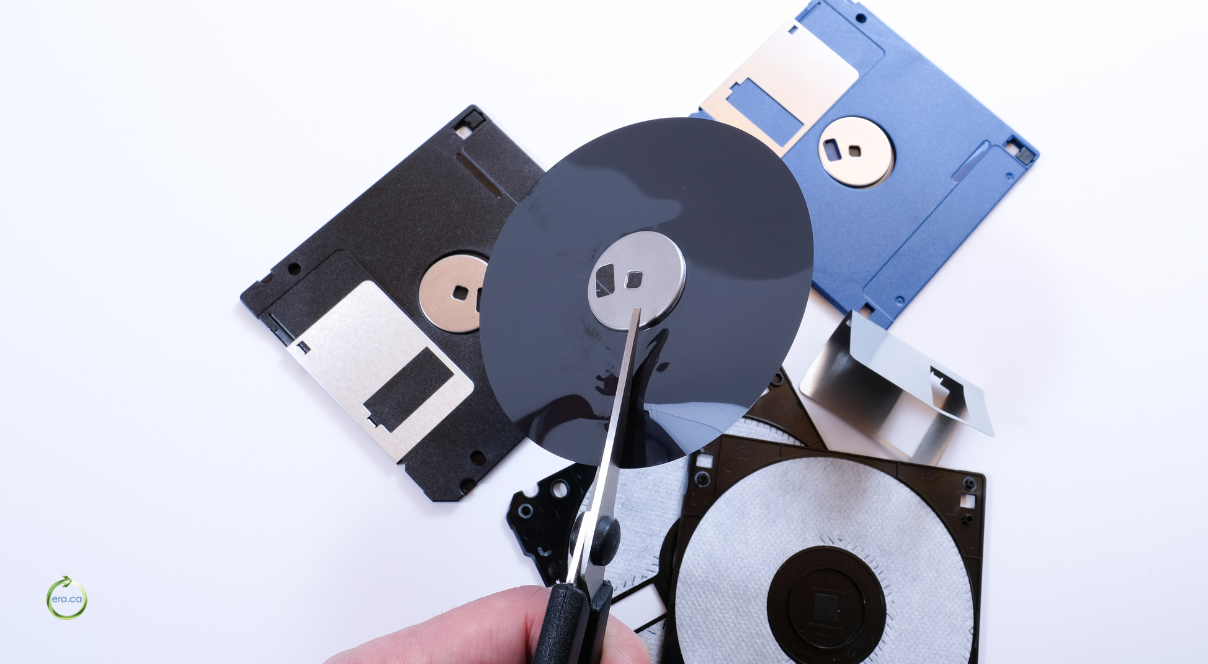
What a Mobile Shredding Service Actually Does
A truck pulls into your parking lot, a technician wheels an industrial shredder to the loading dock, and within the hour a stack of retired hard drives has been reduced to twisted metal fragments that never left your property. That is the plain description of a mobile shredding service, and it explains why so many organizations reach for one when the data on those drives is the kind that keeps a compliance officer up at night. The equipment comes to you. The destruction happens under your own roof, in front of your own staff, before a single device is loaded for transport. That single detail is what separates it from every other method, and for regulated industries it can be the difference between a clean audit and a reportable incident.
The alternative is off-site processing, where a provider collects your media and destroys it back at their facility. Both routes end with a drive that can never be read again, but the path each one takes is different, and that difference decides which fits your situation. ERA, a Canadian non-profit that has been recycling and refurbishing electronics for more than fifteen years, runs both models. Its team can bring a mobile shredder to your site or collect equipment for destruction at one of its facilities, and it backs either choice with certificates and serial number reporting. If you want the full picture of what that looks like, the company lays it out on its page for certified data destruction services. What follows is a practical guide to knowing which route fits your organization, because the honest answer is that on-site destruction is the smarter spend in some situations and an unnecessary one in others.
On-Site Destruction Versus Off-Site Processing at a Glance
The core difference comes down to where and when your drives die. With on-site destruction, an ERA technician arrives with a mobile shredder and turns your media into scrap in your own lot while your people watch. With off-site processing, ERA collects the equipment, transports it, and destroys it at a secured facility, then sends back documentation. One keeps the chain of custody as short as it can possibly be. The other hands the logistics to someone else and trusts a paper trail to close the loop.
Neither approach is automatically better. On-site wins on control and on letting you watch the destruction happen, which matters enormously to some auditors and almost not at all to others. Off-site often wins on cost, especially for smaller batches, and it removes the coordination of scheduling a truck and clearing space for a shredder. A hospital purging a decade of imaging drives and a two-person accounting firm retiring four laptops are solving the same problem at wildly different scales, and the right method reflects that. Scheduling is part of the picture as well, since an on-site visit has to be booked around a shredder and a technician, while a pickup slots into a routine collection run. The rest of this piece walks through the specific conditions that tip the decision one way or the other.
When On-Site Shredding Is the Right Call
On-site shredding earns its cost when the risk of an intact drive leaving your building outweighs the convenience of a simple pickup. That calculation changes with the sensitivity of your data, the volume you are retiring, and the questions your auditors are going to ask. Three situations make the case more clearly than any general rule, so it is worth looking at each one on its own terms.
Regulated Data That Cannot Leave Your Building
Healthcare records, client financial files, and government material often sit under rules that treat a drive leaving the premises intact as an exposure event in itself. If your policy or your regulator says storage media must be destroyed before it moves, on-site shredding is the only method that satisfies the requirement cleanly. The drive is scrap before it reaches the truck, so there is no window during transport where a container could be lost, opened, or diverted. Canadian organizations handling personal data under PIPEDA are expected to apply safeguards that match how sensitive the information is, and destroying drives before they move is about the strongest safeguard available.
This is the exact scenario on-site destruction was built for. ERA can send a technician and equipment directly to a hospital, a law office, or a municipal building and destroy drives in place, and for organizations whose security protocol requires sensitive information to stay on premises at all times, it also rents self-operated units so nothing ever leaves the room. The point is not that off-site is unsafe. It is that some rules simply do not allow the drive to travel, and on-site is how you honor them without an argument.
High Volume Drive Retirement During an IT Refresh
Decommissioning a server room or swapping out three hundred workstations produces a mountain of drives all at once, and that volume is where on-site destruction shows its value. Rather than boxing, labeling, and tracking hundreds of devices through a pickup and a return trip, you handle the whole batch in a single visit. The mobile shredder chews through hard drives, solid state drives, and server media on the spot, and your IT team can reconcile the count against its asset list while the machine runs. That single visit also compresses the timeline, so a refresh that might otherwise stretch across weeks of boxing and shipping wraps up in an afternoon.
Scale also raises the stakes on documentation. When you are retiring five drives, a missing serial number is an annoyance. When you are retiring five hundred, gaps in the record are how an auditor finds a device that supposedly no longer exists. A mobile shredding service that logs each unit as it goes gives you a clean inventory tied to the physical destruction, which is far easier to defend later than a spreadsheet assembled after the fact from memory and guesswork.
Chain of Custody Your Auditors Will Ask About
The shortest chain of custody is the one with the fewest hands touching the drive, and on-site destruction is the shortest chain there is. From your rack to the shredder is a distance of a few feet, witnessed by your own people, with no transport leg to account for. Auditors like that because it removes the part of the process they cannot see. A witnessed destruction leaves nothing to infer.
ERA supports this with a Certificate of Destruction that lists individual serial numbers, so the record does not just say drives were destroyed, it says which drives. That matters when a regulator or an insurer wants proof that a specific device holding specific data is gone. Being able to point at a line item and match it to an asset tag turns a vague assurance into evidence, and evidence is what closes an audit finding. Every extra stop between the rack and the shredder is a place where the record can break, and removing the transport leg removes the hardest gap to account for.
When Off-Site Destruction Still Makes More Sense
For plenty of organizations, off-site destruction is the practical and responsible choice, and treating it as second best would be a mistake. If you are retiring a modest number of drives, do not operate under a rule that forbids media from leaving the building, and would rather not coordinate a shredder in your parking lot, a pickup is cleaner and usually cheaper. ERA collects the equipment, destroys it at a secured facility, and returns the same documentation you would get on-site. With locations across Canada, from Vancouver to Halifax, a pickup is rarely a long-distance proposition, which keeps both the cost and the transit time down.
The option to witness destruction does not disappear when you go off-site either. Company representatives are welcome to observe destruction in person at an ERA facility, and for those who cannot travel, a live or recorded video of the process can be made available. That flexibility covers most of the trust gap that pushes people toward on-site in the first place. When you are ready to move, you can schedule a secure pickup and let the logistics run themselves, which for a great many businesses is exactly the right amount of involvement.
The Paper Trail That Comes With Physical Destruction
Destruction is not finished when the drive is in pieces. It is finished when you hold documentation that proves it, because in a compliance review the paperwork is the part that gets examined. A shredded drive with no record behind it does almost nothing for you if a regulator asks what happened to the data. ERA treats the documentation as a core part of the service rather than an afterthought, which is why the reporting extends well past a single certificate.
Certificates of Destruction and Serial Number Reporting
ERA produces a stack of records designed to answer whatever question comes next. There is a Collection Certificate confirming what was picked up, a Collection Inventory Spreadsheet capturing make, model, and serial number for each unit, a Data Wipe Certificate for drives that were sanitized rather than shredded, and a Certificate of Destruction listing the individual serial numbers of everything physically destroyed. For working devices that get donated, a Donation in Kind Certificate documents where they went.
Serial number reporting is the thread that ties it all together. A certificate that says forty drives were destroyed is fine until someone asks whether a particular drive was one of them, at which point only a serialized record can answer. Matching a destroyed unit to the asset tag it carried on your books is how you demonstrate that a specific piece of data is genuinely gone, and that level of proof is what regulators and insurers actually want to see. Keeping those certificates on file also means that if a client, partner, or regulator asks about a decommissioned system years later, the answer is already documented and easy to produce.
What Storage Media a Mobile Shredder Can Handle
A mobile shredder handles far more than the spinning hard drives most people picture. ERA runs AmeriShred equipment capable of destroying hard drives, solid state drives, data tapes, servers, and other data storage hardware, which covers nearly everything a modern office or data center is likely to retire. The machine reduces each one to fragments too small to reassemble, regardless of whether the media stored a few gigabytes or several terabytes.
Solid state drives deserve a specific mention because they trip up organizations that assume all destruction is equal. An SSD stores data very differently from a magnetic hard drive, and some sanitization methods that work on spinning platters leave recoverable data on flash memory. Physical shredding sidesteps that problem entirely by destroying the memory chips themselves. If your retirement batch mixes old hard drives with newer SSDs, a shredder that handles both in the same pass saves you from having to sort media by type and worry about whether each one was properly handled. The same logic applies to anything else that quietly stored data over its life, from backup tapes to the drives buried inside a retired multifunction printer, all of which a shredder can take care of in one run.
Software Wiping Compared to Physical Shredding
Wiping and shredding solve two different problems, and choosing between them starts with a single question about whether the drive has a future. Software wiping overwrites the stored data so the drive itself can be reused, while shredding destroys the drive so nothing survives. If a device still has working life and you want it refurbished or resold, wiping preserves that value. If the device is dead, obsolete, or simply too sensitive to risk, shredding is the surer end.
ERA applies a multiple pass random array wiping method to equipment slated for refurbishing, which sanitizes the drive thoroughly while keeping it functional. For organizations that prefer to handle a wipe themselves before releasing hardware, the free DBAN utility is a reasonable do-it-yourself option, though it demands care and verification. The tradeoff is straightforward. Wiping keeps a working asset in circulation and supports reuse, and shredding guarantees the data is unrecoverable at the cost of the hardware. Reuse also carries an environmental payoff, since a wiped and refurbished machine stays out of the recycling stream for a few more years and spares the resources a replacement would demand. The best choice depends on whether the drive is worth saving.
The Self Service Rental Option for Locked Down Environments
Some security policies do not allow an outside technician to touch the drives at all, and for those environments ERA rents its AmeriShred mobile destruction units so your own staff run the machine. Nothing leaves the room, no third party handles the media, and the destruction still happens on industrial equipment built for the job. An ERA representative demonstrates how to operate the unit safely before handing it over, so your team is not learning on the fly.
This option exists for organizations whose protocol requires sensitive information to remain on premises at all times, which describes a fair number of defense contractors, financial institutions, and government offices. A self-operated rental gives them the security posture of an in-house mobile shredding service without the capital cost of buying and maintaining a shredder they would use a handful of times a year. It also removes any scheduling dependence on an outside crew, which suits teams that retire drives on an unpredictable schedule and want the capability on hand. It is the strictest end of the on-site spectrum, and for the organizations that need it, nothing else will do.
How Certifications and Law Enforcement Partnerships Build Trust
Credentials are how you tell a serious destruction provider from a company with a truck and a shredder, and ERA carries the ones that count. It holds ISO/IEC 27001 for information security management alongside ISO 9001, ISO 14001, and ISO 45001, a set of standards covering quality, environmental responsibility, and worker safety. Those certifications are audited by outside bodies, so they represent a verified way of working rather than a claim the company makes about itself. For a procurement team comparing vendors, that outside verification is often the fastest way to shortlist a provider without auditing each one from scratch.
Trust also comes from the company you keep. ERA has partnered with Canadian law enforcement, including the North Vancouver RCMP, which is not the kind of relationship an organization maintains without meeting a high bar for handling sensitive material. You can review the full list of standards and affiliations on the company’s page detailing its partnerships and accreditations. For a buyer trying to reduce risk, credentials like these do a lot of the vetting work in advance, because a third party has already checked the things you would otherwise have to verify yourself.
Weighing Cost Against Risk Before You Decide
The decision usually comes down to one comparison, which is what a single exposed drive would cost you against the premium you pay for on-site control. If that drive holds patient records, client financials, or classified files, the downside of a breach dwarfs the difference in price, and on-site starts to look inexpensive. If it holds a decommissioned print server with nothing sensitive on it, paying for a technician to visit is spending money to solve a problem you do not have.
Volume and regulation move the needle too. A large retirement batch spreads the cost of a site visit across many drives, while a handful of devices rarely justifies it. A binding rule that media cannot leave the building settles the question regardless of price. For most organizations the sensible move is to sort drives by sensitivity, send routine equipment off-site, and reserve on-site shredding for the material that genuinely cannot tolerate a transport leg. That way you pay for maximum control exactly where it is warranted and not a dollar more. Documenting that reasoning in your own retention policy also helps, because it gives future staff a clear rule to follow instead of deciding drive by drive.
Where Destroyed Drives Go Next
Shredded material does not end its life in a landfill. Once a drive is destroyed, the metal and components are recycled responsibly, which for a non-profit recycler is the entire point of the operation. ERA was built around keeping electronics out of the waste stream, so destruction and environmental stewardship are two ends of the same process rather than competing goals.
There is a reuse story here as well that pure destruction providers cannot offer. Devices that still work and do not require shredding can be securely wiped, refurbished, and donated to charities, turning retired hardware into equipment for people and organizations that need it. You can see how collection, sanitization, and redeployment fit together in the company’s overview of how the process works. Choosing a recycler that refurbishes means your old drives might fund a good cause instead of simply becoming scrap, which is a quiet advantage worth weighing alongside the security ones. For a school, a shelter, or a small charity on the receiving end, a refurbished laptop is a working tool, and for your organization it is proof that responsible disposal and community benefit can travel together.
Booking Secure Destruction With ERA
Choosing between on-site and off-site is really about matching the method to the risk, and ERA supports both ends of that spectrum with the same certified process and serialized documentation. Whether you need a mobile shredding service at your loading dock or a straightforward pickup for a few retired laptops, the company can point you to the right option and stand behind it. Reach out to ERA to talk through your requirements, and let a non-profit built around responsible recycling handle your drives from destruction through recycling.