

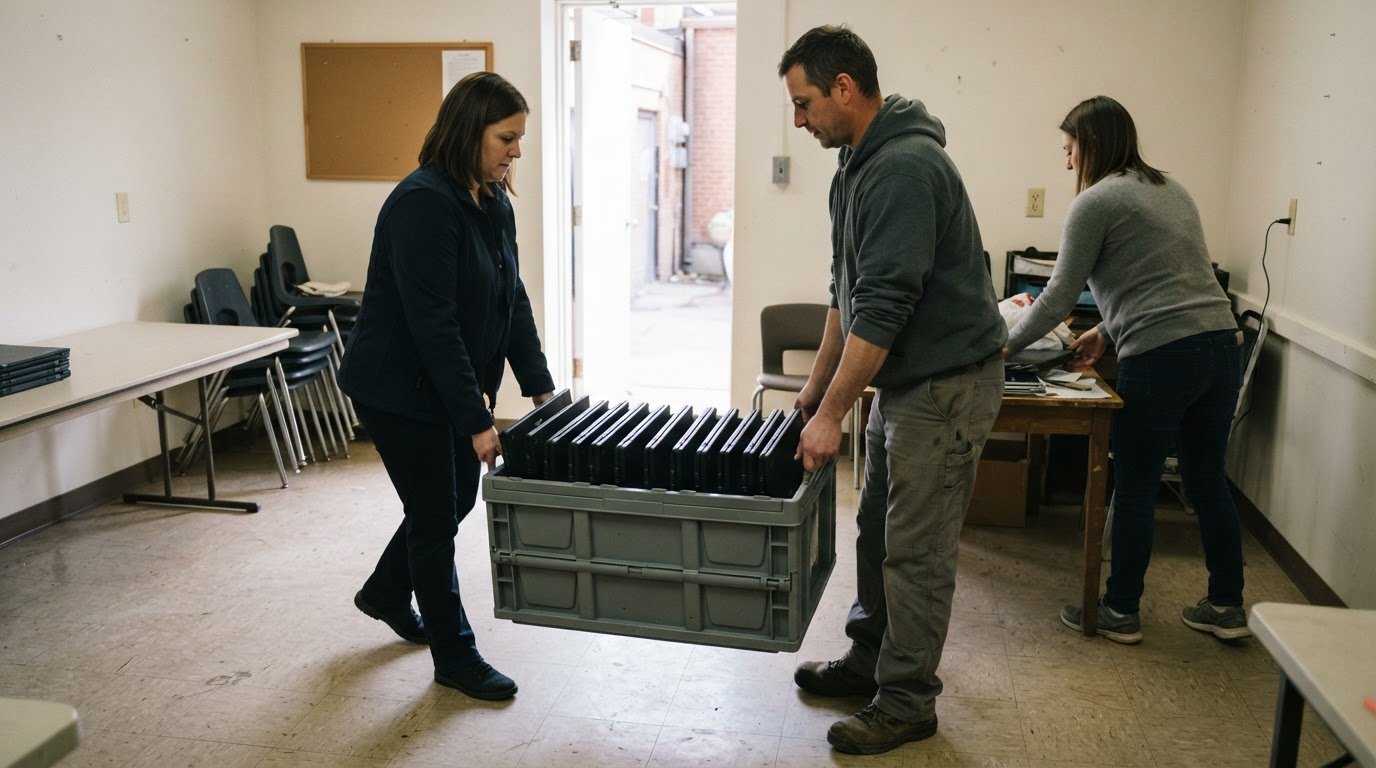
What if surplus office computers could support community access instead of sitting unused in storage? To donate used business computers in Canada, businesses can approach charitable computer donation programs and electronics reuse organizations, which assess devices for potential reuse or responsible recycling. Accepted equipment depends on its type, condition and whether it can be prepared for another user.
It’s reasonable to want a clear route for old electronics, especially when devices may still work but contain business data. This article explains how to donate computers and other equipment, how assessment determines the next step, and when a charitable donation receipt may apply. It also covers secure data handling and how donated equipment can be refurbished for community use.
Key Takeaways
- Identify charitable computer donation programs and electronics reuse organizations that can help manage business equipment and pickup logistics.
- Use device condition and reuse potential to understand whether equipment may be refurbished or directed to responsible recycling.
- Learn what can affect donation receipt eligibility, including the equipment’s fair market value.
- Sort computers and related electronics by type and condition to make the next step clearer for each item.
Where Can Businesses Donate Old Electronics?
Canadian businesses can donate reusable computers through charitable programs such as ERA’s free electronics recycling and donation program. Choose a process that explains how equipment is collected, how data is handled, and whether devices will be refurbished for donation or recycled.
Business IT Asset Disposition and Pickups
Business IT asset disposition covers collecting and routing retired technology, from working computers to equipment unsuitable for reuse. Prepare an inventory with device types, approximate quantities, condition, and collection address. A desktop fleet may need different handling from a small group of phones. These details help plan collection and distinguish equipment for potential reuse from items for recycling.
For an onsite pickup, plan loading-area access and identify who can release the equipment. Group devices by type and note which ones contain storage media. Canadian privacy obligations depend on the organization’s activities, the information involved, and the applicable jurisdiction. Arrange secure data destruction before devices leave your organization’s control.
Equipment Pickup and Drop-Off Locations
Pickup can suit businesses with multiple devices, bulky equipment, or limited transport capacity. Plan around the address, equipment volume, building access, and whether devices are ready to move. ERA offers pickup for offices, businesses, and homes across Canada, including standard and advanced options for collection.
Drop-off may suit smaller loads when a depot accepts the equipment. Before choosing a route, separate reusable computers and other devices from equipment intended for recycling, then organize items for collection or drop-off. Keep a record of what leaves the premises and when, particularly if devices contain business data. A matching inventory supports asset tracking and clarifies which equipment was transferred.
Device assessment and responsible recycling
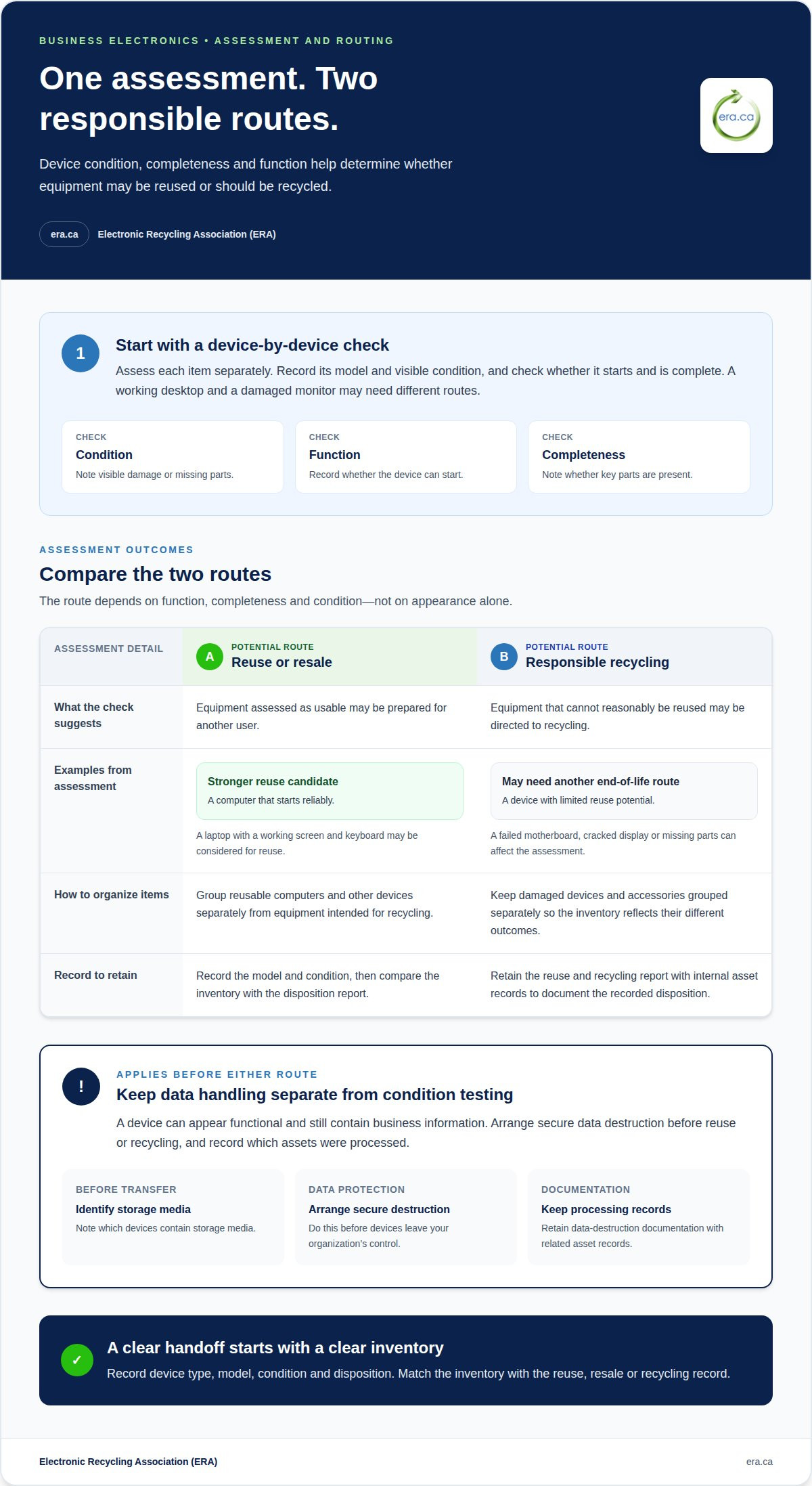
A device assessment separates equipment with reuse potential from items better suited to recycling. For example, a working desktop and a damaged monitor may follow different routes.
Device Assessment
Assess each device by its condition, ability to start, and completeness. A laptop with a working screen and keyboard may be considered differently from one with a cracked display or missing parts. Record the model and visible condition in an inventory; these details help distinguish reusable equipment from electronics that need another end-of-life route.
Keep data handling separate from condition testing. A device can appear functional while still containing business information on its storage media. Arrange secure data destruction before reuse or recycling, and record which assets were processed. This creates a clear handoff between assessment and the next step.
Reuse, Resale, and Recycling
Equipment assessed as usable may be prepared for reuse, while devices with limited resale or reuse potential may be directed to recycling. The route depends on function, completeness, and condition. For instance, a computer that starts reliably may be a stronger reuse candidate than one with a failed motherboard. Assessment helps prevent reusable equipment from being treated as waste prematurely.
Electronic equipment recycling provides a route for items that cannot reasonably be reused. Keep reusable computers, damaged devices, and accessories grouped separately so the inventory reflects their different outcomes. A reuse and recycling report can help a business document collected equipment and its recorded disposition; retain it with internal asset records. For a practical next step, review electronics recycling options for devices that are not suitable for reuse.
Reporting also supports internal decisions. Compare the inventory with the disposition record to identify what was reused, resold, or recycled, and retain any data-destruction documentation with the related asset records. Clear categories make future IT asset planning easier and help show how retired devices were handled.
Equipment eligibility for tax receipts
A computer’s donation route and its tax treatment are separate considerations. The charity’s status, the equipment’s value, and the documentation all matter.
Fair Market Value Tax Receipts
World Computer Exchange says donors may be able to deduct the fair market value of donated equipment. Fair market value refers to the equipment’s value in its current condition, not its original purchase price. A working desktop and a damaged laptop may therefore have different values. Age, condition, completeness, and potential for reuse are useful details when assessing donated devices.
Keep an itemized record with each device’s make, model, condition, and donation date. Attach any valuation or receipt information provided by the receiving organization. For a group of computers, a device-by-device inventory helps distinguish equipment with different conditions instead of assigning one assumed value to the entire shipment.
Charitable Donation Tax Receipts
A charitable donation tax receipt relates to a donation made to an eligible charitable organization. Before transferring business equipment, identify whether the recipient is accepting it as a charitable donation or handling it through another disposition route. A recycling handoff and a charitable donation are not automatically the same transaction, so keep the transfer records clear.
Ask for a receipt only where the equipment is accepted as a donation, and retain it with the organization’s asset and accounting records. The receipt and inventory should describe the same items. For example, if the inventory lists a desktop and monitor, the transfer paperwork should make clear whether both were donated.
Separate donated items from equipment routed solely for recycling. This helps accounting staff match the donation record to the receiving organization’s paperwork and prevents a recycling record from being treated as a charitable receipt. Keep related correspondence, the itemized inventory, and any receipt together for future reference.
Businesses should also distinguish the equipment’s recorded value from its possible tax treatment. A receipt documents a donation; it does not, by itself, establish a deduction amount. Preserve the supporting records so the organization responsible for business tax filings can assess them in context.
Accepted equipment for refurbishment and reuse
Computers with reuse potential can support individuals and community programs after assessment and preparation. Equipment type, condition, and completeness help determine whether an item is suitable for refurbishment or needs another route.
To donate used business computers, group desktop computers, laptops, monitors, keyboards, and related accessories separately. Record each item’s type, whether it powers on, and any visible damage. A working laptop with its charger presents a different assessment from a desktop missing key components. Clear descriptions help an organization sort equipment for its next use.
Refurbishment can prepare usable devices for another person or organization. A computer may need data removed, basic testing, or suitable components before it can be put back into use. Keep devices with missing parts or obvious damage in a separate group for individual assessment. Avoid describing untested equipment as working.
Some charities distribute used computers directly to underprivileged youth, unemployed veterans, and homeless shelters. This route can connect donated equipment with people who may benefit from access to a computer. A program’s needs and the device’s condition help determine whether an item is suitable for a recipient or needs a different outcome.
Organizations donating used business computers can prepare an itemized list with each device’s make, model, accessories, and known condition. Keep the list aligned with the equipment being transferred; this helps distinguish reusable computers from items that may require recycling. Remove business data through secure data destruction before equipment is reused or transferred.
If a computer cannot be refurbished for use, responsible electronics recycling provides another route. Separate reusable equipment from damaged devices and accessories, then record the final disposition. This supports orderly asset records and helps keep usable technology in circulation where appropriate.
To arrange an assessment when you donate used business computers, submit computers for donation assessment.
Electronic Recycling Association (ERA): Charitable computer donations
The Electronic Recycling Association (ERA) offers a charitable computer donation program for businesses with equipment that may serve another organization. When computers are no longer needed, ERA also provides pickup, secure data destruction, and free electronics recycling. Standard pickups and drop-offs are free, and the process can route reusable equipment toward donation and other electronics toward recycling.
Consider ERA when your organization needs a route for retired computers, whether the priority is donation, data destruction, pickup, or recycling. Sorting equipment by condition and noting which devices need secure data destruction can clarify what your business needs handled.
Contact Electronic Recycling Association to discuss donating your business computers.
Make equipment reuse part of your next IT plan
A plan to donate used business computers can start before devices reach the end of their working life. Build equipment disposition into IT planning, so replacement schedules also account for data handling, donation records, and responsible end-of-life routes.
For your next equipment refresh, assign someone to coordinate the asset list and transfer records. This planning step helps keep donation-ready equipment distinct from devices that need recycling, while giving your organization a clearer record of where retired assets go.
Electronic Recycling Association (ERA) can help businesses move from planning to action through charitable computer donations and related electronics services. Contact ERA to plan your computer donation and give usable equipment a chance to support community needs.
Thoughtful planning turns routine technology changes into a practical contribution. Start with the equipment your organization is ready to retire, then arrange a responsible route for reuse or recycling.
Frequently Asked Questions
Which Canadian charities accept donated business computers?
The Electronic Recycling Association (ERA) accepts business computers through its charitable donation program and distributes refurbished equipment to registered charities, non-profits, care facilities, and educational institutions across Canada. This can suit a business whose usable computers could support an organization’s work. Other charitable programs may also direct donated devices to community recipients, such as youth programs or shelters. Keep donation and recycling records distinct.
What computer condition and age do donation programs accept?
Donation programs assess equipment based on its condition and potential for refurbishment, rather than relying only on its age. A computer that starts and has its key components may be a better reuse candidate than a damaged or incomplete device. Prepare an inventory with each computer’s model, visible condition, and included accessories. Programs assess devices individually, so avoid assuming every item in a batch will follow the same route.
How do I securely erase business computers before donating them?
Arrange data destruction before equipment is reused or transferred, and follow your organization’s data-handling process for retained business information. ERA provides secure data destruction, including software-based data wiping and physical hard-drive shredding with mobile “AmeriShred” shredders. Coordinate the method with the device’s intended disposition, then retain the related asset and destruction records. A basic file deletion or factory reset should not be treated as documented secure data destruction.
How is the fair market value of donated used computers determined for tax purposes?
Fair market value is assessed according to the equipment’s value in its current condition, not simply its original purchase price. World Computer Exchange says donors may be able to deduct the fair market value of donated equipment. For business records, keep an itemized inventory with each device’s model and condition, along with the donation paperwork. These records help distinguish a functioning computer from damaged equipment.
Where can businesses donate computers in Canada?
Businesses across Canada can arrange charitable computer donations through ERA, which collects equipment and supports donation programs for charities and other organizations nationally. Choose pickup or depot drop-off to suit the equipment and your organization’s handling process. Keep the inventory with the transfer records, especially if the donation includes devices with stored business information. This helps maintain a clear account of what left your workplace.
How does donating business computers compare with selling or recycling them?
Donation directs reusable equipment toward charitable and community organizations; recycling is the route for electronics that are not suitable for reuse. Selling is a separate disposition choice for businesses pursuing a transaction for their assets. For a mixed batch, assess devices individually, then record whether each item was donated or recycled. This keeps asset records aligned with the chosen outcome.