

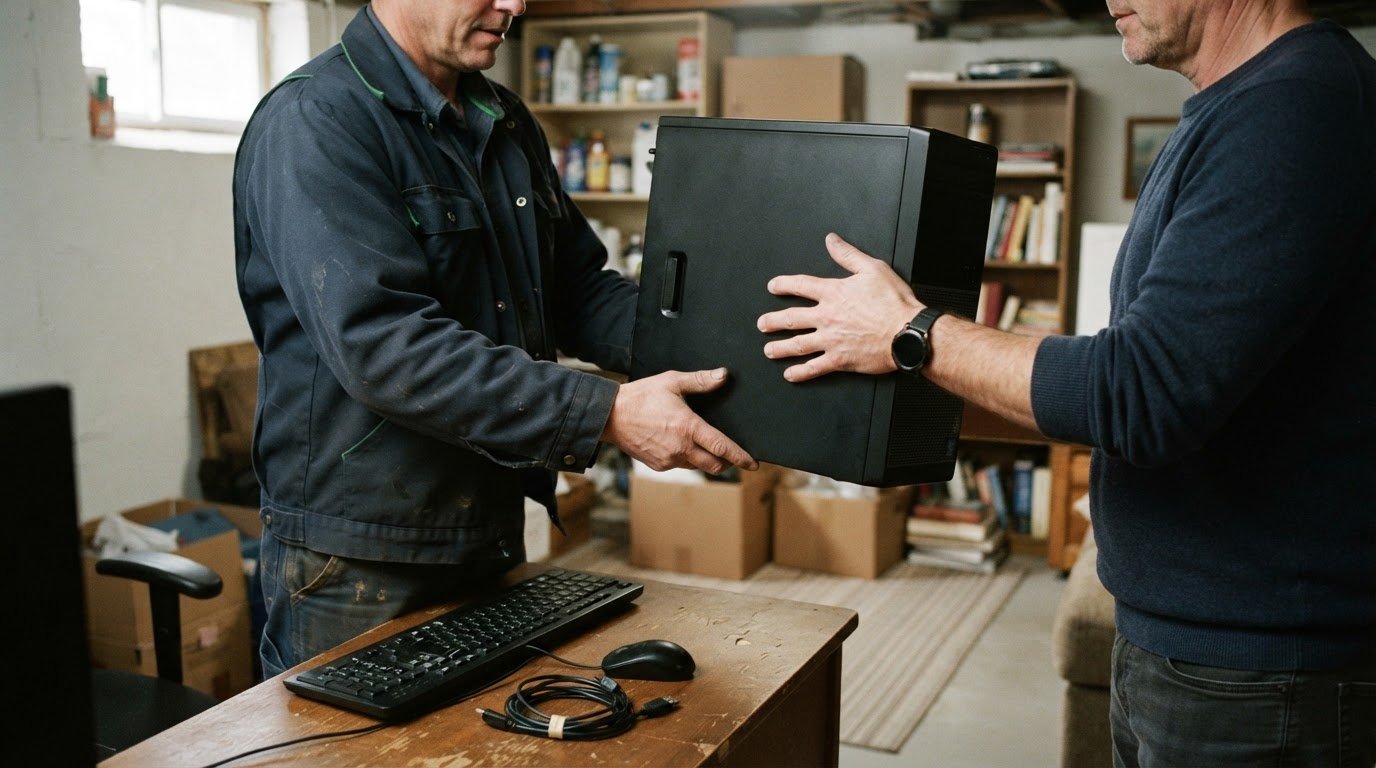
A household computer doesn’t have to be new to be worth donating. Computer donations to charities can help put usable technology within reach of people who need it, provided the equipment fits the charity’s requirements. There’s no single acceptance rule: condition, age and operating-system compatibility can all affect whether a computer is suitable for reuse.
It’s reasonable to want clear guidance before setting aside a device or arranging a donation. This article explains which computers and electronics charities may accept, what to know about equipment age and operating systems, and how reusable technology can support computer access for low-income families.
You’ll also learn how to prepare household devices and distinguish equipment that may be refurbished from electronics better suited to recycling. That makes it easier to choose the right route for your donation.
Key Takeaways
- Assess a computer’s condition, age and operating-system compatibility to understand whether it may be suitable for reuse.
- Learn which household computers and electronics can be considered for donation, and how to handle items that aren’t reusable.
- See how donated technology can help low-income families access communication, learning and other everyday digital resources.
- Prepare devices for handoff by protecting personal information and choosing charitable donation, secure data destruction or electronics recycling as appropriate.
Equipment age and operating-system requirements
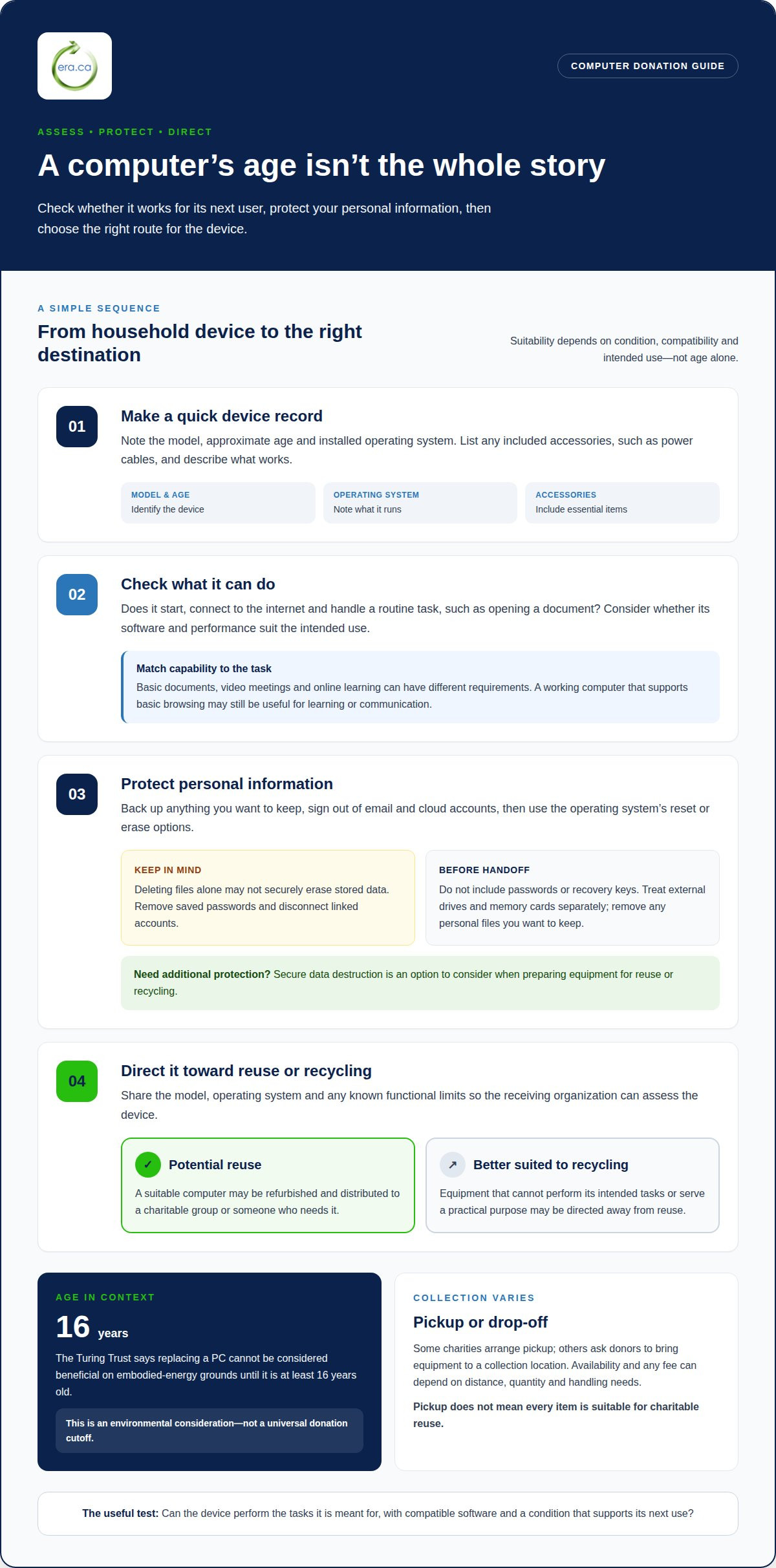
Age alone doesn’t determine whether a computer can be reused. According to the Turing Trust, replacing a PC cannot be considered beneficial on embodied-energy grounds until the computer is at least 16 years old. That figure describes an environmental consideration, not a universal donation cutoff. A newer computer may be unsuitable if it doesn’t work, while an older one may remain useful if it supports the recipient’s needs.
Operating-system compatibility matters because a computer needs to run the programs and online services its next user requires. A device used for basic documents has different needs from one used for video meetings or online learning. Its operating system, software and performance all affect what it can do.
Consider these points when assessing a household computer:
- Age: Record the model and approximate age, but don’t treat age as the only measure of reuse potential.
- Operating system: Note the installed system and whether it can support the intended programs and online tasks.
- Function: Describe whether the computer starts, connects to the internet and performs routine tasks, such as opening a document.
These details help determine whether equipment may be reused or should be recycled. A working computer that supports basic browsing may be useful for learning or communication. Equipment that cannot perform its intended tasks may be better suited to recycling.
There is no single age or operating-system rule for every charitable use. Suitability depends on the device’s condition, compatibility and intended role. Sharing the model, operating system and any known functional limits helps assess whether it can be refurbished for reuse. This practical approach supports reuse while recognizing that recipients need equipment that works for everyday tasks.
Accepted computer and electronics donations
Household donations can include computers and related electronics, but acceptance depends on condition and the charity’s reuse or recycling needs. Describe each item clearly so it can be directed appropriately.
Donation Pickup and Fees
Some charities arrange computer donation pickup, while others ask donors to bring equipment to a collection location. Pickup availability and any fee depend on factors such as distance, quantity and handling needs. Electronics pickup can be useful for households donating several devices, but pickup doesn’t mean every item is suitable for charitable reuse.
List the equipment you’re offering, including desktop computers, laptops, monitors, keyboards or tablets. Note whether each item works and include essential accessories, such as power cables. This gives the receiving organization a clearer picture of what may be reusable and what may need to be recycled.
If you’re seeking a tax receipt, the computer’s fair market value is based on its value at donation, not its original purchase price. A practical estimate considers its model, age, condition, accessories and comparable used equipment. Keep a record of these details to support a reasonable valuation if a receipt is issued.
Preparing Computers and Erasing Data
Before handing over a computer, remove personal files and sign out of accounts, including email and cloud services. Back up anything you want to keep, then reset the device using its operating system’s available reset or erase options. Remove saved passwords and disconnect linked accounts to reduce access to personal information.
Deleting files alone may not securely erase stored data. Don’t include passwords or recovery keys with donated equipment. If you need additional data protection, secure data destruction is an option to consider for the device.
Personal information can remain in saved documents, browser history, account credentials and connected storage. Treat external drives and memory cards as separate items, and remove them if they contain personal files you want to keep. ERA’s secure data destruction helps protect information as equipment is prepared for reuse or recycling.
Computer access for low-income families
A donated computer can help a family take part in school, work and everyday communication. For households without a suitable device, access to a computer can make online tasks, applications and learning resources easier to reach.
What happens after donation? Equipment is assessed for reuse, and suitable computers can be refurbished before being distributed to charitable groups or people who need them. Devices that cannot serve a practical purpose are directed away from reuse.
Access can support specific needs. At Charlford House Society for Women, a donated MacBook Air is used for Zoom meetings and family calls. Donated iPads provide access to communication and research. These examples show how different devices can help people stay connected and find information.
A community program can match equipment to a recipient’s intended use. A laptop that supports video meetings can help with remote appointments or family calls, while a computer suited to online research can support learning. The device’s condition and software compatibility affect whether it can meet those needs.
- Communication: A computer or tablet can help people use online meetings and keep in touch with family.
- Learning and research: A working device provides a way to access online information and educational resources.
- Everyday participation: Suitable technology can help with tasks that increasingly rely on digital access.
For families, a donated device can provide access without requiring a new computer purchase. For nonprofits, usable equipment can support programs and services. Computer donations to charities connect suitable devices with community needs and keep functioning technology in use.
Effective distribution depends on matching a device to a real use. A computer suited to a family’s communication needs may not suit every program, so assessment and recipient needs both matter. Reuse can turn a household device into a resource for connection, research or learning.
How do I prepare a computer for donation and securely erase personal data?
Prepare a computer in two stages: protect your information, then make the equipment easier to assess. First, save files you want to keep, such as family photos, tax documents or schoolwork, to storage you control. Open a few files from that storage before deleting anything from the computer.
- Back up important files. Copy documents and photos to an external drive or a trusted cloud account, then confirm the copies open.
- Sign out of accounts. Remove saved access to email, cloud storage, browsers and apps. Disconnect the computer from accounts linked to device recovery or remote access.
- Remove personal storage. Check for memory cards, USB drives and external hard drives. Keep any that contain private files rather than donating them with the computer.
- Use the device’s erase or reset process. Follow the operating system’s instructions to remove personal files and prepare the computer for a new user.
A standard file deletion or reset may not provide the level of data protection needed for every device. The process can depend on the computer’s operating system, storage type and condition. If the computer won’t start, or you can’t access its settings, don’t assume that deleting files has cleared its storage.
Before handoff, remove accessories you’re keeping and gather items intended to go with the computer, such as its power cable. Note the model, operating system and any known issue. For example, report a missing key or a battery that doesn’t hold a charge; accurate details help assess the equipment for reuse.
Need additional assurance for stored information? Arrange secure data destruction as part of preparing equipment for donation. This can help address data on a computer that a routine reset doesn’t adequately clear, while keeping the device’s next use in view.
Electronic Recycling Association (ERA): Charitable computer donations
Electronic Recycling Association (ERA) helps households direct usable computers toward charitable donation and other electronics toward responsible recycling. Turn to ERA with working equipment that may support nonprofit computer access, or devices that are no longer suitable for reuse.
ERA offers charitable computer donations, free electronics recycling, secure data destruction and electronics pickup. Reusable computers can support charitable organizations, while recycling provides a route for equipment that cannot be reused. Secure data destruction helps protect personal information before devices are refurbished or recycled.
Make a list of the computers and electronics you’re donating, noting their condition and any accessories. This helps you describe the donation and its needs. To take the next step, arrange a free standard pickup or drop-off with Electronic Recycling Association.
Make your next device count
A computer that no longer serves your household may still become a useful resource for someone else. Thoughtful computer donations to charities keep suitable equipment in circulation and connect technology with community needs.
Choose the next step based on the equipment and your priorities. Electronic Recycling Association (ERA) offers charitable computer donations, free standard electronics recycling and pickup, and secure data destruction. These services help households direct equipment toward reuse, protect information and recycle devices that are not suitable for donation.
Gather the device and any accessories you’re ready to give, then take the next step toward a more connected community. Contact Electronic Recycling Association (ERA) to discuss your donation. A practical decision today can help useful technology serve a new purpose.
Frequently Asked Questions
What if I’m donating as an individual or from a household?
Individuals and households can donate equipment without organizing a workplace collection. ERA accepts small donations, including a single laptop or printer. Arrange a standard pickup, drop off items at a depot or use the shipping-label program for small donors. Group devices and accessories together, and identify items that don’t work so they can be assessed for reuse or recycling.
Why give computers?
A usable computer can help a nonprofit manage appointments, prepare learning materials, communicate with clients or coordinate volunteers. Reusing functioning equipment keeps it in service and gives charitable organizations technology for their work. For individual donors, passing on a computer that still meets everyday needs can help an organization focus its resources on programs and support for the people it serves.
What computer equipment and accessories do charities accept?
Accepted items vary by organization. ERA’s listed equipment includes desktop computers, laptops, notebooks, printers, scanners, servers, peripherals, phone systems, software, parts and accessories. Examples of accessories include cables and docking stations. Describe the items you’re donating and group related components together, such as a laptop with its power cable. This helps clarify what equipment is included and supports appropriate handling.
Do charities accept old or nonworking computers?
An older or nonworking computer may still have a recycling route, even if it isn’t ready for donation as a usable device. ERA handles computer equipment through its recycling and donation program; technicians assess devices for refurbishment, and equipment unsuitable for reuse can be recycled. Include the model and describe the fault, such as a failed start-up or damaged screen, to clarify the computer’s condition.