

Why E-Waste Has Become Vancouver’s Quiet Storage Problem
Most of us have a drawer, a closet shelf, or a box in the garage where old phones and laptops go to retire. They pile up quietly. A cracked tablet here, a laptop with a dead battery there, a flatscreen that got replaced two holidays ago. None of it feels like garbage, which is exactly why it never leaves the house. Vancouver homes are full of this stuff, and the pile keeps growing as devices get cheaper and upgrade cycles get shorter.
The trouble starts when you finally decide to deal with it. Tossing electronics in the regular bin is illegal in British Columbia, and for good reason. Old screens and circuit boards hold lead, mercury, and other materials you do not want seeping into soil or water. So you go looking for a recycler, and that is where things get murky. Some operations shred everything in sight. Others quietly ship it overseas. A few refurbish and rehome working machines. They all use similar words on their websites, which makes telling them apart harder than it should be.
Knowing what to look for in electronic recycling Vancouver services can save you from handing a perfectly good laptop to a shredder. The choices you make at this stage decide whether your old gear ends up as scrap, as landfill, or back in the hands of someone who needs it. What follows is a practical look at the differences, the questions worth asking, and what actually happens to a device once you let it go.
Where Your Old Devices Actually Go After Drop-Off
The phrase “we recycle your electronics” can mean wildly different things depending on who is saying it. Two recyclers can both accept your old laptop, hand you a receipt, and send you on your way, yet what happens next could not be more different. One path treats your device as raw material to be broken down. The other treats it as something that might still have years of life left. Understanding these two routes is the single most useful thing you can do before picking a drop-off spot, because the destination shapes everything from the environmental payoff to whether your data is truly gone.
The Shredder and Landfill Route
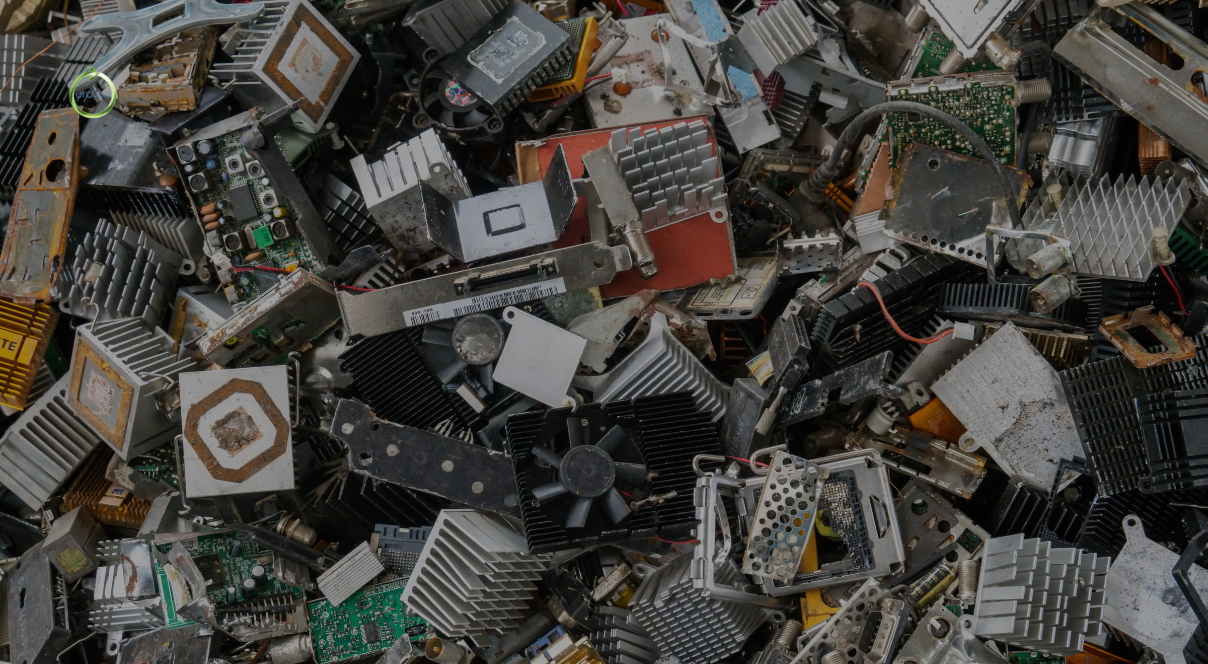
The default model for most recyclers is volume. Devices come in, get sorted, and the ones without easy resale value head straight to an industrial shredder. Machines tear the hardware into fragments, then magnets and separators pull out copper, aluminum, steel, and small amounts of gold. Whatever cannot be recovered profitably becomes waste. It sounds responsible on paper, and material recovery does keep some metals in circulation. The problem is that shredding a five-year-old laptop that still boots up fine destroys far more than it recovers. A working machine is worth more whole than in pieces.
There is also a darker version of this route. Some collectors gather e-waste, skim the easy parts, and ship the rest to countries with loose environmental rules, where it gets burned or dumped. The gear leaves your hands looking handled, but it ends up in a landfill halfway around the world. Recyclers who are vague about where their material goes are worth a second look before you trust them with anything you care about.
The Reuse-First Path
A smaller group of organizations flips the order of operations. Instead of asking what a device can be broken down into, they ask whether it can keep working. A laptop comes in, gets tested, gets its data wiped, and if it still runs, it gets refurbished and passed along to someone who can use it. Shredding only happens at the very end, for the devices that are genuinely beyond repair.
This is the model the Electronic Recycling Association’s Vancouver program is built around. As a non-profit, ERA is not chasing scrap-metal margins, so the incentive points toward reuse rather than destruction. A refurbished computer that lands in a classroom or a community program does more good than the few dollars of copper inside it ever could. It also keeps a whole device out of the waste stream rather than recovering a fraction of its materials. For anyone weighing their options for recycling electronics in Vancouver, this distinction matters more than any green logo on a website.
What Sets a Non-Profit Recycler Apart From a Standard One
The business model behind a recycler tells you a lot about how your device will be treated. A for-profit recycler makes money by processing material at scale and selling what it recovers. That is a legitimate business, but it pushes toward speed and throughput, not toward salvaging individual machines. The faster things move through the shredder, the better the margins look at the end of the month.
A non-profit works under different pressure. ERA has spent more than fifteen years operating as a charitable organization, which means its goal is putting refurbished equipment back into communities rather than maximizing scrap revenue. Donated laptops and computers go to charities, schools, and people who cannot easily afford a new machine. That mission changes the day-to-day math. A device that a commercial operation would shred for parts is, to a non-profit, a chance to help someone get online for a job search or schoolwork.
This is why the choice of electronic recycling Vancouver providers comes down to more than convenience. A standard recycler keeps materials in circulation. A reuse-first non-profit keeps whole devices in circulation and sends the social benefit back into the city. Both reduce waste, but only one gives your old gear a second working life and a second owner.
Which Devices You Can Hand Off and Which You Cannot
Before you load up the car, it helps to know what a recycler will actually take. Acceptance lists vary, and showing up with something a depot does not handle wastes a trip. The good news is that reputable electronics recyclers accept a broad range of household and office gear, from the obvious computers down to the cables tangled in your junk drawer. Here is how the common categories break down.
Computers, Laptops, and Tablets
This category is the bread and butter of reuse-focused recycling, and it is where your old gear has the best odds of living again. Desktop towers, laptops, tablets, and the keyboards, mice, and monitors that go with them are all standard fare. Even a machine you assume is junk often has life left. A laptop that feels hopelessly slow may just need a fresh drive and a clean install, both routine steps in refurbishment. Smartphones fall in here too, and they are some of the most reusable devices around given how capable even older models remain.
If you are unsure whether a particular item makes the cut, check the list of electronics a recycler accepts before you head out. ERA takes laptops, computers, servers, phone systems, and the accessories that come attached to office cleanouts. The rule of thumb is simple. If it has a circuit board and once plugged in or charged up, it probably belongs with a recycler rather than the curb.
Televisions, Monitors, and Bulkier Gear
Big items are where things get a little more complicated. Older tube televisions and CRT monitors contain leaded glass and are heavy, awkward, and costly to handle, so some recyclers charge a fee to take them or will not accept them at all. Flatscreens are easier, though they still need careful handling because of the materials inside. Printers, copiers, and lab equipment usually find a home with recyclers that serve businesses, since office cleanouts generate a steady stream of them.
The thing to plan for with bulky gear is logistics. A stack of old monitors or a floor-model printer is not something you want to wrestle into a sedan. This is where pickup services earn their keep, a topic worth its own discussion further down. For a single flatscreen or a couple of small devices, a drop-off depot is usually the simpler call. For anything large or numerous, calling ahead saves you the surprise of an unexpected handling fee or a device the depot turns away at the door.
How Your Data Gets Wiped Before Anything Is Refurbished
Here is the worry that stops most people from recycling a laptop. What happens to the photos, the saved passwords, the tax documents, the years of email still sitting on the drive? It is a fair concern, and it is the reason a lot of old computers never leave the house. The answer comes down to how seriously a recycler treats data, and the good ones treat it as the first job, not an afterthought.
A reuse-first recycler has to wipe data before refurbishing anything, because the device is going to a new owner. ERA handles this with certified erasure software that overwrites drives so nothing can be recovered, and for drives that cannot be wiped, physical shredding does the job. You can read the specifics of how the data destruction process works on their site, including the certification you can request as proof. Secure wiping is typically free, while physical destruction of certain media may carry a small per-item charge.
The practical takeaway is to ask any recycler exactly how they handle data before you hand anything over. A vague answer is a red flag. A clear, documented process, ideally one that gives you a certificate, is the standard you should hold out for. Your information is the one part of an old laptop that should never get a second life.
Drop-Off Depots Versus Scheduled Pickups
Once you know your devices will be handled responsibly, the next question is logistics. How does the gear actually get from your place to the recycler? There are two main routes, and the right one depends on how much you have and how heavy it is.
Drop-off depots are the simplest option for small loads. You gather your devices, drive to the depot during opening hours, and leave them with staff. ERA runs a Vancouver-area depot out of Richmond that handles exactly this kind of walk-in donation on weekdays. For a laptop, a couple of phones, and a tangle of cables, a quick drop-off gets the job done without any scheduling or waiting around.
Pickups make sense when the volume or weight tips the scales. An office clearing out a dozen workstations, or a household that just emptied a storage room, does not want to make five car trips. A scheduled pickup sends a truck to your door, and the crew does the lifting. This is also the friendlier choice for bulky items like old monitors and printers that are a pain to transport. Many recyclers, ERA included, run both options, so you can match the method to the size of the job rather than forcing everything through one channel.
Who Benefits When a Device Gets a Second Life
The reuse-first model produces a payoff that shredding never can. When a refurbished laptop leaves the depot, it usually heads somewhere it is needed. ERA donates restored equipment to charities, schools, non-profits, and community programs across Canada, and over the years that has added up to a lot of working machines in the hands of people who could not otherwise afford them.
Think about what a single computer means to a job seeker filling out online applications, a student doing homework, or a newcomer staying in touch with family abroad. Regular access to a working machine has quietly become a requirement for ordinary life, and a donated device closes that gap for someone. The pathway from your closet to a classroom is more direct than most people assume. You can see how donated electronics get a second life laid out step by step, from collection to refurbishment to donation.
There is an environmental dividend stacked on top of the social one. Every device that gets reused is one that does not have to be manufactured new, which avoids the mining, energy, and shipping that go into building a replacement. Reuse beats recycling on the environmental scoreboard precisely because it skips that whole production cycle.
What It Actually Costs to Recycle Electronics in the Vancouver Area
Cost is the question people are often shy to ask, so let us deal with it plainly. For most household electronics, recycling is free. Dropping off a laptop, a phone, or a desktop at a depot typically costs nothing, since the recycler recovers value from the device itself or, in the reuse model, passes it along as a donation.
The exceptions tend to involve items that are expensive or hazardous to process. Televisions, especially old tube models, often carry a handling fee because of the leaded glass and the labour involved. Floor-model copiers, large printers, and microwaves can fall into the same bracket. Certified data destruction for hard drives may also come with a modest per-item charge, though basic data wiping is usually included at no cost.
Pickup services can carry a fee as well, scaled to the distance, the number of items, and the effort involved. The fair way to think about it is that you are paying for convenience and proper handling, not for the recycling itself. Many organizations, ERA among them, waive certain charges during promotions or for larger donations, so it is always worth asking. A reputable recycler will give you a straight answer on costs upfront rather than springing surprises when you arrive.
Questions Worth Asking Before You Pick a Recycler
A few pointed questions will tell you almost everything you need to know about a recycler. The first is the most revealing. Ask what actually happens to a working device after you drop it off. If the answer involves refurbishment and donation, you are dealing with a reuse-first operation. If it is all about material recovery, you know the device is headed for the shredder regardless of its condition.
Ask about data handling next, and listen for specifics. Certified erasure, physical shredding for dead drives, and a certificate on request are the marks of a serious process. Then ask where material ends up. A trustworthy recycler can tell you plainly whether anything is exported and what happens to the remainder. Certifications like ISO standards for environmental and security management are a useful signal that an organization is audited against real benchmarks rather than just marketing itself as green.
When you compare electronic recycling Vancouver options against these questions, the field narrows quickly. The recyclers worth your time answer clearly and can show their work. The ones that dodge, generalize, or bury everything under vague sustainability language are telling you something too. A little asking up front protects both your data and the device you are trying to do right by.
How to Spot Greenwashing in E-Waste Claims
Every recycler claims to be good for the planet. The challenge is separating the ones doing the work from the ones leaning on the imagery. Green leaf logos, words like eco-friendly, and stock photos of forests cost nothing to slap on a website and prove nothing about what happens to your laptop.
Real signals are concrete and verifiable. Certifications from accredited bodies, a clear and public description of the recycling process, and willingness to document data destruction all point to substance behind the slogans. Vagueness is the tell. If a company cannot or will not say where material goes, how devices are processed, or what share gets reused versus shredded, the green branding is doing the heavy lifting in place of actual practice.
Reuse rates are one of the most honest measures, because reuse is harder and less profitable than shredding. An organization that prioritizes refurbishment and donation is choosing the path with more effort and less margin, which is a credible sign of mission over money. Ask for specifics, look for third-party verification, and treat polished environmental language with healthy skepticism until it is backed by something you can check. The recyclers actually doing good tend to be the ones happy to show you the details.
Making the Greener Choice for Your Next Cleanout
Clearing out old electronics does not have to mean sending working machines to a shredder. When you choose a reuse-first non-profit, your old laptop might become someone’s first computer instead of a handful of scrap metal. For electronic recycling Vancouver residents can feel good about, the Electronic Recycling Association offers free drop-off, scheduled pickups, and secure data destruction, all in service of getting your devices back to work. Take a look at ERA’s options and give your old gear a second life.