

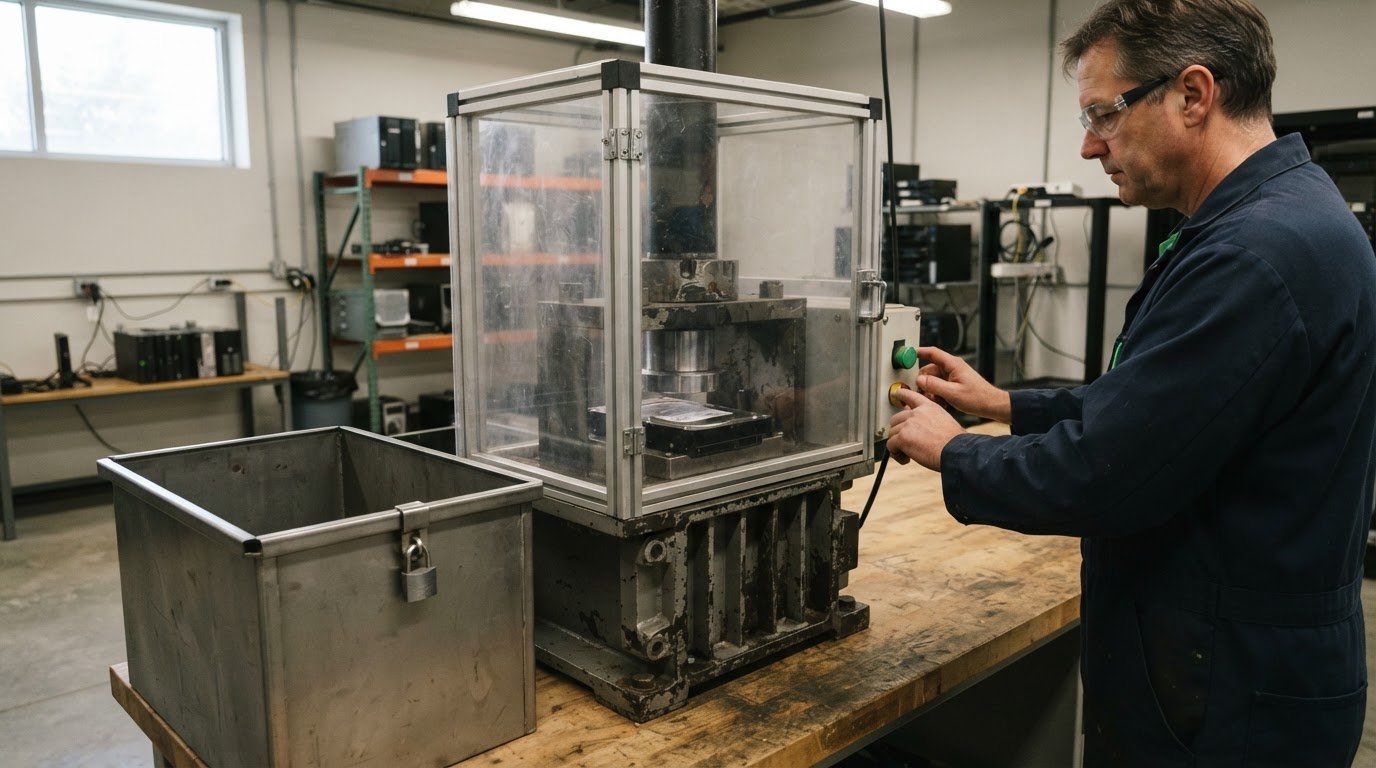
Magnets aren’t a dependable way to destroy a hard drive. Modern drives can resist magnetic interference, and damaged data may still be recovered. To securely dispose of old hard drives, use a method that physically destroys the storage device, such as crushing or shearing, and keep it secure until destruction is complete. The method matters, but so does knowing what happened to the drive after it left your hands.
Deleting files, reformatting a drive or running wiping software may seem like a complete reset, but these steps can leave information recoverable. Looking beyond a quick erase is important when a drive holds business, personal or confidential data. This guide explains why common approaches can fall short and how physical destruction can reduce the risk of information being recovered.
You’ll also learn how crushing and shearing work, why do-it-yourself destruction can be unreliable, and how secure handling and destruction records contribute to responsible disposal. A clear process can help protect sensitive information while ensuring retired electronics are handled with care.
Key Takeaways
- Choose a destruction method that matches the drive and the level of data protection needed.
- Understand why routine erasure and formatting may leave information accessible, and where wiping fits into a disposal plan.
- Reduce exposure by establishing a clear process for retired drives instead of letting them accumulate in storage.
- Use secure custody and destruction records to document the drive’s handling, or turn to the Electronic Recycling Association for secure data destruction.
1. Crushing and shearing methods
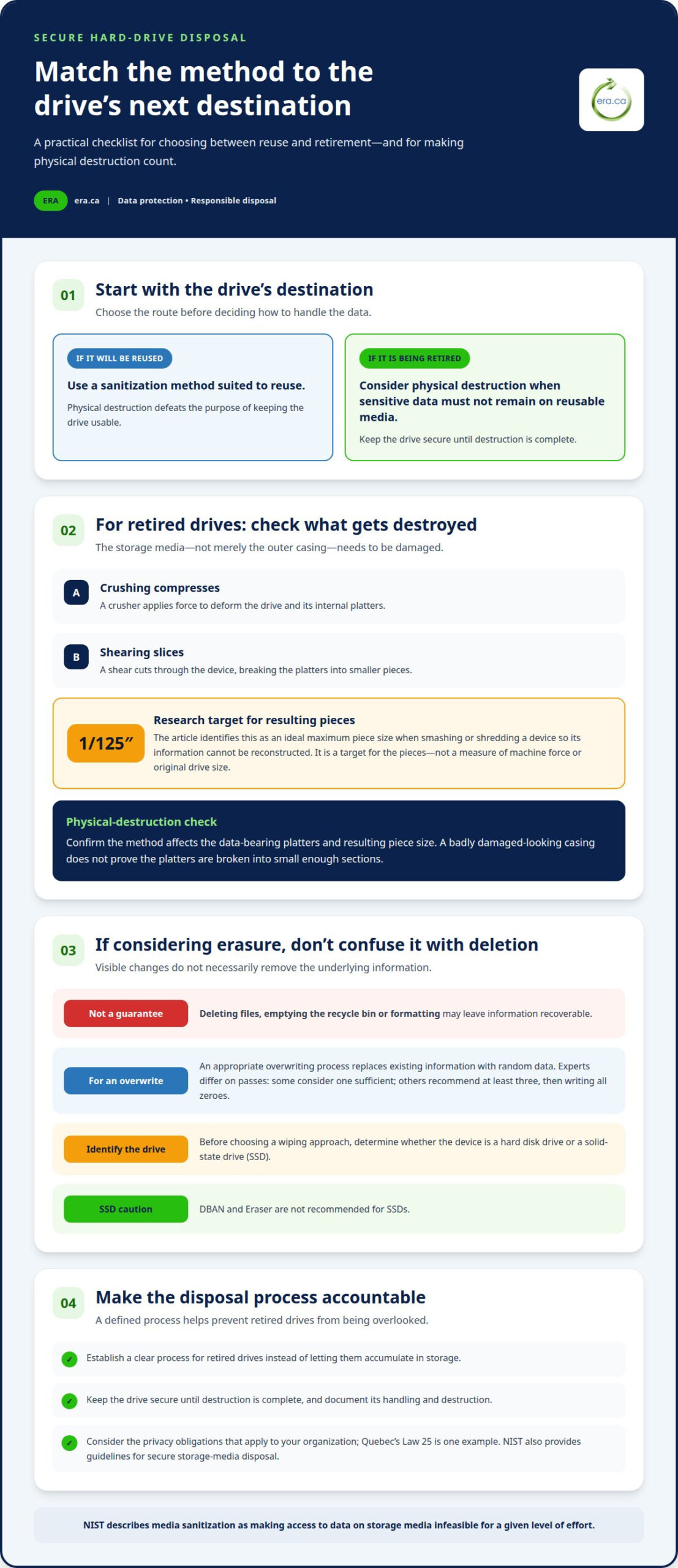
Crushing and shearing physically damage a hard drive’s storage components, making the recorded information inaccessible. A crusher applies force to deform the drive and its internal platters. A shear cuts through the device, breaking the platters into smaller pieces. Both methods aim to prevent the drive from functioning and stored data from being accessed. They differ in how they damage the media: crushing compresses it, while shearing slices through it. For a drive containing sensitive information, the key question is whether the storage surface has been damaged enough to prevent reconstruction.
Piece size matters. The research identifies 1/125 inch as an ideal maximum piece size when smashing or shredding a device so its information cannot be reconstructed. That figure is a target for the resulting pieces, not a measure of the machine’s force or the drive’s original size. A drive’s casing may look severely damaged while its platters remain in larger sections. Destruction must therefore affect the data-bearing components, not just the outer shell. The National Institute of Standards and Technology (NIST) defines media sanitization as making access to data on storage media infeasible for a given level of effort.
To compare the methods, consider the intended outcome. Crushing deforms the drive’s internal assembly; shearing separates it into fragments. Either approach can destroy the media, but effectiveness depends on what happens to the platters and the resulting piece size. A practical sequence is to identify the hard drive, choose physical destruction if it won’t be reused, and ensure the method breaks the storage media. Keep the drive secure until destruction is complete. If the drive must remain usable for someone else, physical destruction defeats that purpose; choose a data-sanitization approach suited to reuse instead. Physical destruction is for retirement, not refurbishment.
2. Why Is Wiping or Reformatting Technology a Poor Data Security Strategy?
Deleting a file or emptying a computer’s recycle bin removes its visible reference, not necessarily the underlying information. Formatting a hard drive also doesn’t guarantee the data is gone. Wiping or reformatting alone may not be enough to ensure that data is permanently removed.
What is the safest way to erase data from an old hard drive before disposal? Use an appropriate overwriting process, which replaces existing information with random data. If the drive is being permanently retired, physical destruction prevents it from being reused. Experts differ on overwrite passes: some consider one sufficient, while others recommend overwriting at least three times and then writing all zeroes. To securely dispose of old hard drives, choose an approach based on whether the device will be reused and how sensitive its data is.
When should a hard drive be physically destroyed instead of wiped? Destroy it when it’s being retired and sensitive information must not remain on reusable media. If someone else will reuse the drive, physical destruction defeats that purpose; choose a sanitization method suited to reuse instead.
Drive type matters. Don’t use DBAN or Eraser on a solid-state drive (SSD); those tools aren’t recommended for SSDs. Before choosing a wiping approach, identify whether the device is a hard disk drive or SSD. This simple distinction helps avoid using a method that isn’t suited to the storage technology.
Does Canada have laws or guidelines for disposing of data-bearing storage devices? Organizations should consider privacy obligations that apply to their operations; Quebec’s Law 25 is one example. The National Institute of Standards and Technology (NIST) also provides guidelines for secure storage-media disposal to help minimize data-breach risk. To securely dispose of old hard drives, include the applicable privacy requirements in the disposal decision.
For retired drives that shouldn’t return to use, secure data destruction offers a physical-disposal route beyond wiping or reformatting.
3. Risks of improper disposal of old technology
An unused hard drive can still contain business records, customer details or saved login information. Removing a computer from service doesn’t remove its stored data. If a drive leaves the workplace without secure handling, someone else may access information the organization meant to retire. A discarded laptop, desktop or external drive can therefore create a data exposure long after its useful life ends.
Unclear procedures make the risk harder to manage. The 2020 Data Protection Report found that nearly half of small business owners lacked a policy for disposing of confidential information on end-of-life electronic devices. Without a defined process, staff may leave drives in cupboards, forget which equipment contains data, or send devices onward without arranging secure destruction. A written disposal policy helps assign responsibility and establish what happens to each retired device.
Keeping old drives onsite doesn’t resolve the problem. A locked storage area can limit casual access, but it can’t eliminate the possibility of sensitive information being stolen. Accumulated drives also increase exposure when nobody tracks their contents, location or disposal status. For example, a box of unlabelled computers can make it difficult to identify which devices still hold confidential records.
Legacy technology creates similar concerns. Older computers and external drives may stay in storage because they appear obsolete, yet their data can remain valuable to an unauthorized person. Recycling a hard drive alone also doesn’t guarantee its information is protected from theft. The device’s destination and the handling of its storage media matter, not simply whether it enters a recycling stream.
Reduce avoidable exposure with a straightforward process: identify retired equipment, restrict access while it awaits disposal, and record when each device leaves storage for destruction or another approved outcome. Include laptops and external drives, not only desktop computers. Review the inventory regularly so forgotten devices don’t accumulate. A consistent process makes it easier to account for old technology and act before stored data becomes an unmanaged risk.
4. Secure chain of custody and destruction certificates
A destruction process needs to account for a drive from handoff through final processing. A chain of custody records who handles the device and when, helping reduce gaps where equipment could be misplaced or accessed. A destruction certificate can document that the drive was processed and support an organization’s internal records. Match the record to the equipment collected, such as a laptop or external drive, so the disposal outcome is traceable.
Magnets aren’t a reliable destruction method. Modern hard drives can resist magnetic interference, and corrupted data may still be recovered. Do-it-yourself destruction also creates practical concerns: household tools may damage the casing without breaking the platters, and physical work can pose safety hazards. Don’t burn a drive, put it in a microwave or pour acid on it. These methods can create hazards without providing a controlled destruction record.
Professional physical destruction uses equipment intended to crush or shear storage media. Physical destruction is the only 100% secure way to permanently remove data from electronic technology. For a nonworking laptop or external drive, the device’s failure doesn’t remove stored information; keep it under controlled custody until destruction. A complete process links collection, secure handling, physical destruction and documentation, rather than relying on a broken screen or failed startup as evidence of data removal.
How much do professional hard drive shredding or destruction services cost in Canada? The price depends on the case and is given after a quote request; relevant factors include the number and type of devices, pickup needs and destruction requirements.
How do you choose a certified hard drive destruction service in Canada? Consider whether its certification covers relevant security controls, and whether its process documents custody, physical destruction and completion. A certificate is useful when it identifies the completed work and supports your organization’s records.
For managed handling of retired drives, arrange secure hard-drive destruction through a documented process.
Electronic Recycling Association (ERA): Secure data destruction
Electronic Recycling Association (ERA) provides secure data destruction for retired hard drives and other data-bearing electronics, including devices that no longer work. Turn to ERA when wiping or reformatting isn’t the right endpoint and you need a managed disposal option. Free electronics recycling and electronics pickup can also help organizations move retired equipment out of storage responsibly.
For computers that can be put to further use, charitable computer donations offer a community-minded alternative to disposal. Choosing between destruction and donation depends on whether the device is intended for reuse or permanent retirement. Contact Electronic Recycling Association (ERA) to arrange secure data destruction for your equipment.
Make secure disposal part of your next equipment decision
Decide how your organization will securely dispose of old hard drives before another device reaches the end of its useful life. Assign responsibility for the decision, identify whether equipment is intended for reuse or retirement, and make the chosen route part of your regular asset-disposal process. That preparation helps staff act consistently instead of leaving sensitive equipment in storage while they decide what to do.
For drives that should be destroyed, Electronic Recycling Association (ERA) can support your next step with secure data destruction. Its electronics pickup and free electronics recycling can also help move retired equipment through an appropriate disposal process. Contact ERA to discuss your organization’s needs and decide how to proceed. A clear process protects information and supports more responsible handling of electronics. Contact Electronic Recycling Association (ERA) to begin the conversation, and take a practical step towards more secure equipment retirement.
Frequently Asked Questions
Can Magnets Be Used to Destroy Hard Drives?
No. Magnets aren’t a dependable way to destroy a hard drive or ensure its information is inaccessible. For example, placing a household magnet near an external drive doesn’t provide a reliable disposal process. If the drive is being retired, arrange a method that addresses the storage media itself. Keep the device under controlled access until it’s ready for its chosen disposal route.
Why Is Wiping or Reformatting Technology a Poor Data Security Strategy?
Wiping or formatting can leave information recoverable, so neither step alone proves that every file is gone. Deleting a folder labelled “Payroll” or formatting a former office computer may not remove underlying records. The appropriate approach depends on whether the drive will be reused or retired, and whether its data requires permanent removal. Identify the drive type before selecting a wiping method.
How to securely destroy a hard drive at home without risking injury?
Don’t try to dismantle or smash a hard drive at home. Cutting, drilling or striking the casing can expose you to sharp fragments and unpredictable tool movement, while still leaving the storage media insufficiently damaged. Avoid burning the drive, using a microwave or applying chemicals. Keep it intact and restrict access until a professional destruction process can handle it safely.
Where can I recycle old hard drives in Canada?
Electronic Recycling Association (ERA) provides electronics recycling and secure data destruction in Canada. For a drive that still holds information, consider data handling before treating recycling as the complete solution. ERA also offers electronics pickup, helping organizations move retired equipment into a recycling process. Separate drives intended for destruction from computers that may be suitable for donation or reuse.
Do Canadian electronics recycling programs accept hard drives, and do they guarantee data destruction?
Acceptance and data-handling processes vary by program, so recycling should not be treated as a guarantee that information has been destroyed. ERA provides secure data destruction as a distinct service alongside electronics recycling. For an office batch containing both blank drives and drives with confidential files, identify the data-bearing devices and arrange secure handling rather than assuming every recycling stream includes destruction.
What are the risks of donating or recycling a hard drive without removing its data?
A drive may retain personal, financial or business records that someone could access after it leaves your control. A donated computer with old customer files, for instance, could expose information unrelated to its new purpose. Before reuse, arrange suitable data removal; if the drive is not intended for reuse, choose destruction. Keep track of which devices contain data so none are overlooked during collection.