

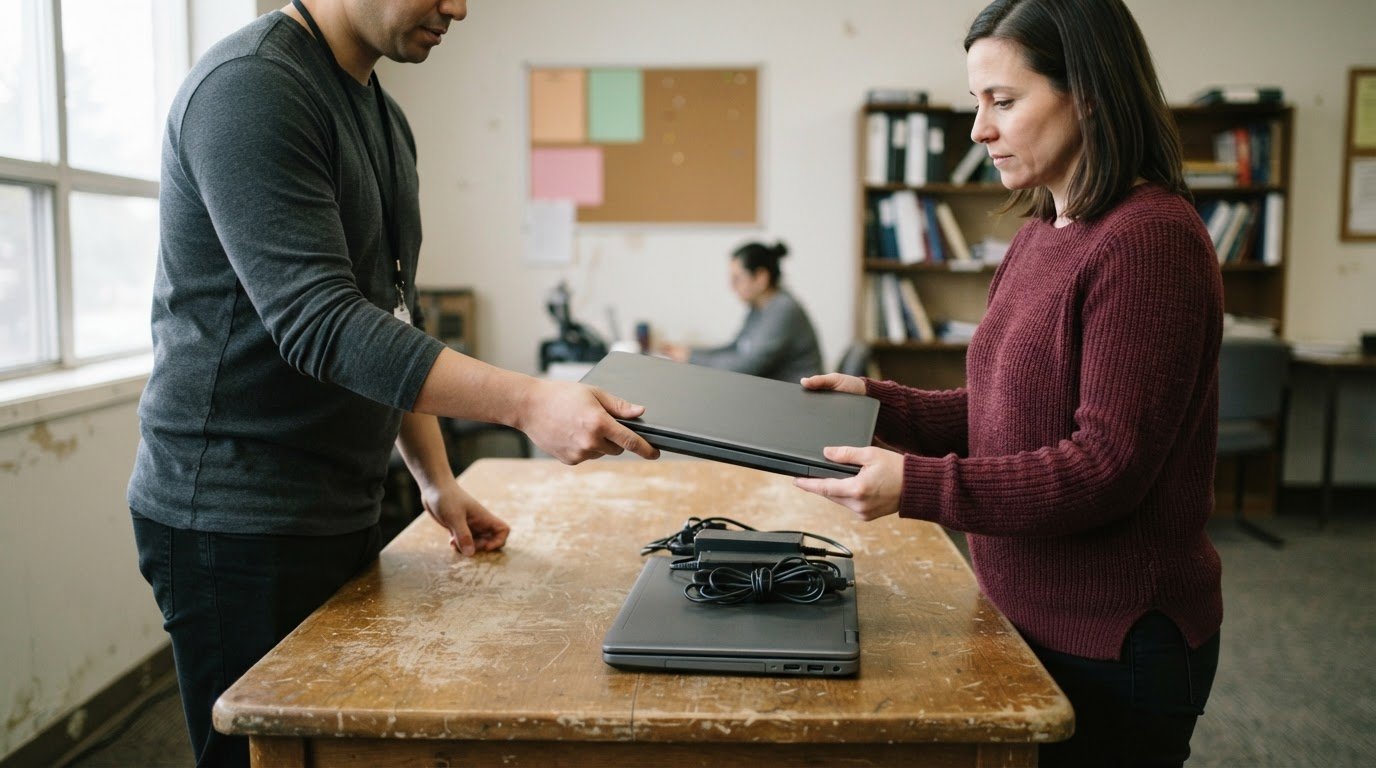
A charitable computer donation program can help put a suitable computer to use again, but acceptance depends on the program’s criteria and the device’s condition. Equipment type and completeness also matter, so sort computers and accessories before arranging a donation.
A donation should be straightforward, not a guess about what will be accepted or what happens next. Whether you’re clearing out a home or workplace, sort equipment for potential reuse and identify items that may instead need recycling.
This guide explains which computers and electronics may be suitable, how eligibility can depend on the program, and what to know about tax receipts in Canada. It also covers preparing a donation, protecting information stored on devices, and distinguishing charitable reuse from electronics recycling.
Key Takeaways
- Sort computers, devices and accessories by type and condition to help identify what may be suitable for donation or recycling.
- Prepare used electronics for handoff by considering stored information and how each item can be handled responsibly.
- Review eligibility factors before arranging a donation, especially if receiving public assistance, as accepting a donated computer may affect benefits.
- Understand how charitable donation receipts work in Canada before treating donated equipment as a tax deduction.
Accepted computers, devices and accessories
In Canada, charitable computer donation programs are generally run by nonprofits, community organizations, and school-linked initiatives. Some assess equipment for reuse; others direct unsuitable items toward recycling. Programs that refurbish devices for low-income families or students are often nonprofit or community-led, with schools and support organizations helping connect recipients with computers. Accepted items and distribution pathways vary by program and location. A charitable computer donation program may assess each item individually.
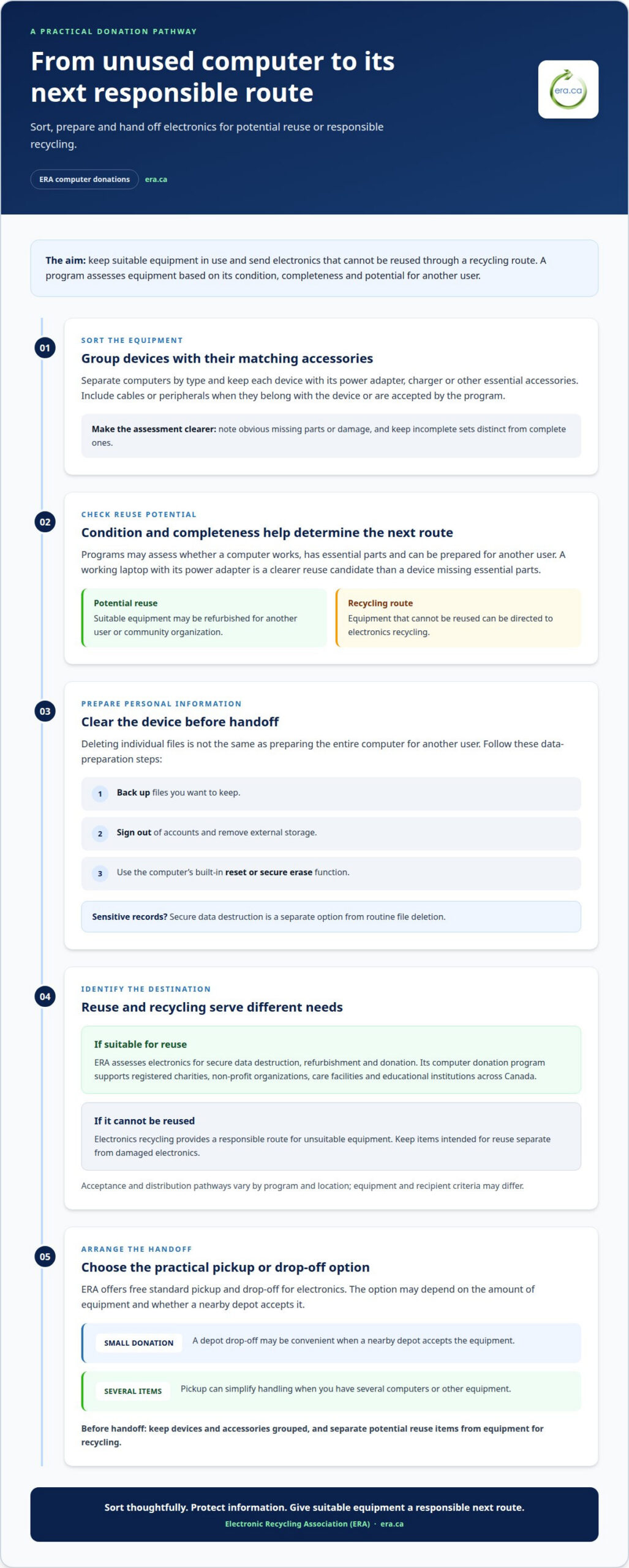
Donation assessments may include desktop computers, laptops, monitors, keyboards, mice, chargers, and other accessories. A working laptop with its power adapter is a clearer reuse candidate than a device missing essential parts. Programs consider condition, completeness, recipient needs, and whether equipment can be prepared for another user. Keep matching accessories together and group equipment by type before collection. This makes complete sets easier to identify and separates items that may need a different handling route. Include cables or peripherals only when they belong with the device or are accepted by the program.
Computer donations can also help charities extend digital access to individuals who need equipment for learning, work, or communication. Centennial Senior Public School serves a community of 750 students in downtown Brampton, Ontario. School and community partnerships can help identify where donated devices may support students. A computer provides a device, while community Wi-Fi access can help people connect when home internet is limited. These are related but distinct needs: a suitable computer does not itself provide an internet connection.
The Government of Canada’s Connecting Families initiative is investing $13.2 million over five years to help eligible families access affordable home internet. That initiative addresses connectivity, while refurbished devices can address equipment access. Before donating, gather each computer with its accessories, separate devices by type, and note obvious missing parts. Global e-waste generation is growing by 2.6 million tonnes annually, so directing usable equipment toward reuse can keep devices in service while unsuitable electronics follow a recycling route. This approach helps donors sort equipment thoughtfully and supports practical digital inclusion.
ERA’s computer donation program supports registered charities, non-profit organizations, care facilities, and educational institutions across Canada. Suitable electronics are refurbished for reuse, while equipment that cannot be reused can go through electronics recycling.
A charitable computer donation program can direct refurbished computers to organizations serving community needs. ERA donates refurbished devices to registered charities, non-profit organizations, care facilities, and educational institutions across Canada.
Donating used computers and other electronics
In Canada, donation can give working computers another use, while unsuitable equipment needs responsible recycling. Separate reusable devices from damaged items before arranging a handoff.
To protect personal information, back up files you want to keep, sign out of accounts, and remove external storage. Then use the computer’s built-in reset or secure erase function before donation. Deleting individual files isn’t the same as preparing the entire device for another user. For computers holding sensitive records, secure data destruction is a separate option from routine file deletion.
Computer donation destinations
ERA accepts computers and electronics for assessment, secure data destruction, refurbishment, and donation. Its computer donation program supports registered charities, non-profit organizations, care facilities, and educational institutions. Group each computer with its power adapter or other essential accessories to make assessment and preparation for reuse more straightforward.
Before donating, group each computer with its charger and note any missing parts or damage. This gives ERA useful information for assessing the equipment and determining whether it is suitable for reuse or should be recycled.
Pickup and drop-off options
ERA offers free standard pickup and drop-off for electronics. For a small donation, a depot drop-off may be convenient; pickup can simplify handling when you have several computers or other equipment. Group devices with their accessories and separate items intended for reuse from equipment that needs recycling.
For a small donation, drop-off may be practical if a nearby depot accepts the equipment. For several computers or other electronics, pickup can simplify handling. Keep devices and accessories grouped together, and separate equipment intended for reuse from items that need recycling.
Electronic waste reuse and recycling
Reuse gives a suitable computer another opportunity to support learning, work, or community programs. Recycling is the responsible route for electronics that cannot be reused. The device’s condition and potential for another use help determine which route is appropriate.
Sort equipment before handoff, keeping working computers separate from damaged electronics. For items that cannot be reused, free electronics recycling provides another route. Separating reusable equipment from electronic waste helps reduce unnecessary disposal and directs each item toward a more suitable next step.
Computer donation eligibility
Eligibility involves both the equipment being donated and the person or organization receiving it. A program may assess whether a computer is complete and suitable for reuse, while recipient criteria can reflect its charitable purpose. For example, a school may direct equipment toward students who need digital access, while a community organization may prioritize individuals facing barriers to learning or employment. The steps and selection criteria differ between programs.
Describe each device clearly before arranging a donation. Note whether it starts, whether its screen and keyboard work, and whether essential accessories are included. A working laptop with its charger presents a different reuse prospect from a desktop with a damaged monitor. These details help ERA assess whether equipment can be refurbished for donation or should be recycled.
For recipients, programs can consider factors such as educational needs, household circumstances, or an organization’s community role. Schools may identify students who need a computer for coursework; a nonprofit may need equipment for digital skills training. These examples show why eligibility is not based on a single rule across Canada. The program’s purpose and available equipment shape how it matches computers with community needs.
If you receive public assistance, check how accepting a donated computer may affect your benefits. Consult your case manager or social worker before accepting it, as they can consider how the donation relates to your circumstances. Ask about the specific computer and any conditions attached rather than assuming it is treated like every other form of support.
Before arranging a donation, describe the computer’s condition, identify the organization receiving it, and clarify any eligibility requirements. A charitable computer donation program can connect suitable equipment with community needs, but donor suitability and recipient eligibility are separate questions. Keeping them distinct helps everyone understand what information matters at each stage.
Tax deductibility and receipts for donated equipment
Donating a laptop supports reuse, but the donation itself does not establish a tax deduction. In Canada, tax treatment depends on factors such as who donates, who receives the equipment, and how the transfer is documented. An individual donating a personal computer and a business transferring workplace equipment may have different record-keeping needs. Consider environmental benefit and tax treatment separately.
Before handing over equipment, ask the receiving organization what documentation it provides. A donation acknowledgment records a transfer, while a document intended to support tax reporting serves a different purpose. Do not assume every computer donation qualifies for an official donation receipt or that a receipt guarantees a deduction. Confirm the document’s purpose and keep a copy with your records.
Describe the equipment clearly. Record whether the donation includes a laptop, charger, monitor, or other accessories. Note the transfer date, recipient’s name, item condition, and any correspondence about the donation. Businesses can also retain internal asset records showing which equipment left their inventory. These records help explain what was transferred and when, without assigning an unsupported value to used electronics.
Take care when assessing value. A used laptop’s original purchase price does not automatically represent its value at donation. Age, condition, working status, and included accessories can affect its assessment. Avoid choosing a figure solely to create a larger claimed benefit. If tax reporting is involved, use guidance appropriate to your donor status and the transaction, rather than treating a general estimate as authoritative.
Keep the receipt or acknowledgment, equipment description, and related records together. For a business donation, match the documents to the organization’s asset records; for an individual, retain them with personal tax documents. These steps support accurate reporting while allowing usable equipment to serve community needs. To put suitable computers toward charitable reuse, arrange a computer donation.
Electronic Recycling Association (ERA): Charitable computer donations
Electronic Recycling Association (ERA) helps organizations and individuals direct suitable computers toward charitable reuse. Its computer donation program supports registered charities, non-profit organizations, care facilities, and educational institutions. Equipment that cannot be reused can go through ERA’s free electronics recycling service.
For organizations clearing out computers, electronics pickup can simplify collection, while secure data destruction addresses information stored on devices. ERA states that it is certified to ISO/IEC 27001, ISO 9001, ISO 14001, and ISO 45001 standards. These standards relate to information security, quality, environmental management, and occupational health and safety.
Choose donation when equipment may support another user, or recycling when it is no longer suitable for reuse. Contact Electronic Recycling Association (ERA) to arrange pickup or drop-off and discuss secure data destruction for your computers and electronics.
Make your next equipment decision count
Build a simple process for your organization’s next technology refresh. Set aside time to identify equipment for charitable reuse, plan how stored information will be handled, and route end-of-life electronics responsibly. A charitable computer donation program can turn suitable surplus equipment into an opportunity for another user. A clear handoff process also helps staff understand what happens to each device.
Electronic Recycling Association (ERA) offers free standard electronics recycling, secure data destruction, and pickup. These services address different needs during an equipment clear-out, from preparing devices for reuse to securely handling data and recycling equipment that cannot be reused. Choose the next step that fits your equipment and organization’s priorities.
Contact Electronic Recycling Association (ERA) to discuss your equipment and the right path forward. A considered decision can support community access to technology while helping your organization manage its surplus responsibly. Start with one clear next step, and make your next refresh a positive contribution.
Frequently Asked Questions
Can I choose the type of computer?
You can describe what type of computer would meet your needs, but availability depends on the equipment ready for donation and the recipient organization’s requirements. A student needing a laptop for coursework, for example, has a different practical need from a charity setting up a shared computer station. Explain how the computer would be used so the organization can assess the request.
How will I know if my application is approved?
The organization administering the donation program communicates its decision through its application process. Decisions depend on its eligibility criteria, the applicant’s intended use, and the equipment available for distribution. Provide complete, consistent information about your circumstances and explain how a computer would help. Keep a copy of your application and related messages in case the organization requests details.
Who can apply?
Applicants depend on the donation program. Refurbished equipment can support registered charities, non-profit organizations, care facilities, and educational institutions. Some programs also direct devices to individuals or families through community organizations. If you’re applying personally, explain your need and how you plan to use the computer. If you represent an organization, describe the people or services the equipment would support.
What are the eligibility rules for donating a computer to a charity in Canada?
Donation eligibility depends on the organization’s purpose and the computer’s suitability for reuse. ERA assesses equipment for refurbishment, then donates suitable devices to registered charities, non-profit organizations, care facilities, and educational institutions. A computer with its essential accessories is easier to prepare for another user than an incomplete device. Equipment that cannot be reused can be recycled.
Do computer donations qualify for a tax receipt in Canada?
Not every computer donation results in a tax receipt. The recipient organization and nature of the donation affect whether it can issue one. Ask what documentation will be provided before treating a transfer as eligible for tax reporting. Keep the organization’s acknowledgment and your own records, including the date and a description of the computer. A receipt alone does not establish that a deduction applies.
How is the fair market value of a donated used computer determined for a Canadian tax receipt?
Fair market value should reflect the used computer at the time of donation, not simply its original purchase price. Relevant details include the model, age, working condition, and included accessories. For example, a functioning laptop with a charger differs from a damaged laptop without one. Keep supporting records describing the equipment and its condition, and use a defensible valuation method for the donation.