

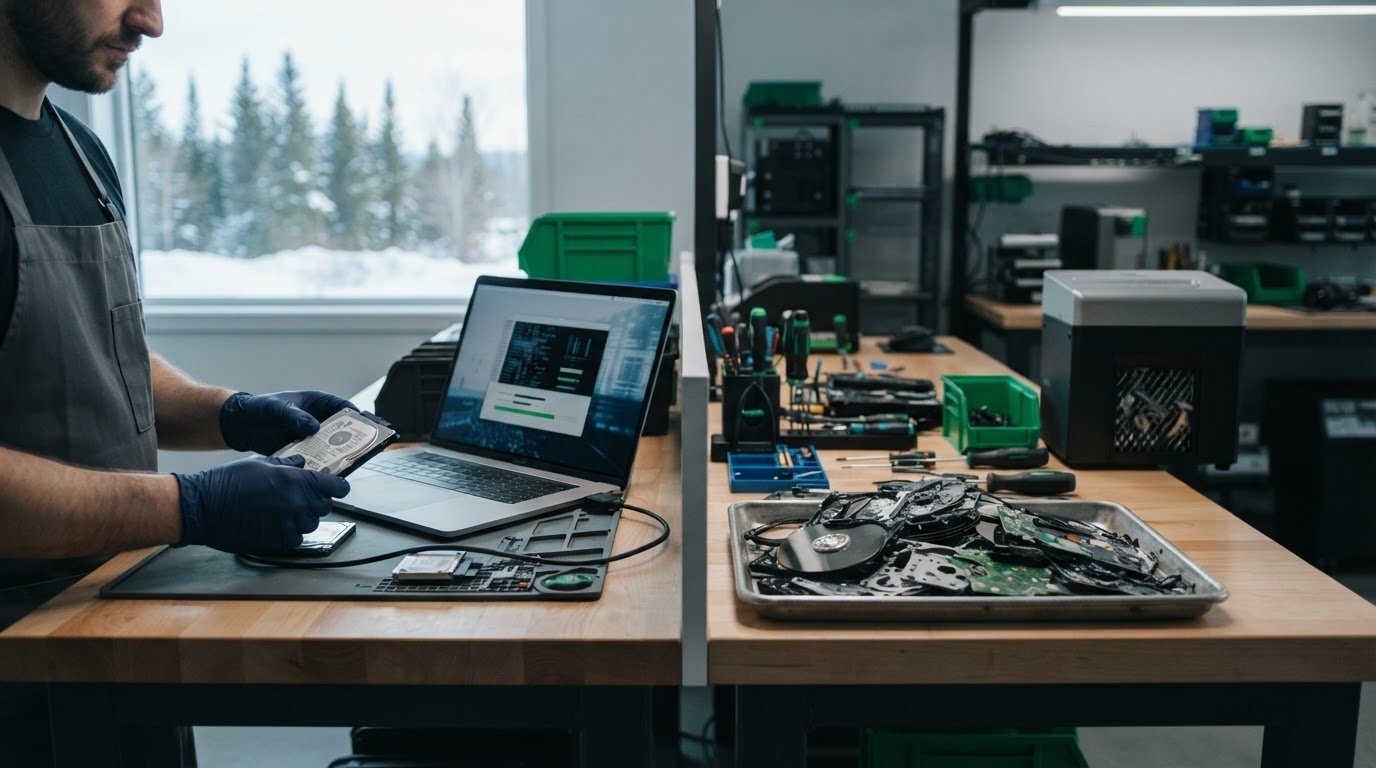
A drive intended for reuse may call for verified wiping, while a failed drive or one being retired permanently may call for physical destruction. In data wiping versus hard drive destruction, the right choice depends on the drive’s condition, whether it needs to remain usable, the sensitivity of its data and the standards your organization follows. NIST SP 800-88 groups media sanitization into clearing, purging and destruction.
Physical destruction may seem like the more secure option, but destroying a working drive also rules out reuse or donation. When the storage media and data sensitivity make it appropriate, verified wiping can protect data while preserving the device’s potential for reuse.
This guide explains how the methods differ, when wiping may suit a device intended for reuse, and what certificates and security standards can tell you about the process. It also offers a practical way to match the method to the drive and the data it holds.
Key Takeaways
- Match the method to the drive’s condition, storage type, data sensitivity and whether it needs to remain usable.
- Use a Certificate of Destruction to document key details such as the device serial number, method, date and facility.
- Consider verified wiping for functional drives intended for reuse or donation, while recognizing that damaged media may need another approach.
- Explore electronics recycling, secure data destruction or charitable computer donations when retiring equipment responsibly.
What Is Industry Physical Hard Drive Destruction?
Choose wiping when a functioning drive is suitable for reuse and the method meets the data’s security requirements. Choose destruction when a drive has failed or is permanently retired, then send it for electronics recycling to recover materials. Shredding or crushing physically damages the device; degaussing disrupts magnetic media. Destruction prevents access by damaging the storage medium.
Yes. Destroyed hard drives can enter electronics recycling streams, where materials are handled separately from data-security processing.
Other Physical Destruction Methods
Crushing deforms a drive, but partial damage may leave storage media intact. NIST SP 800-88 Rev. 2 notes that partial physical damage can leave portions of media intact. Degaussing uses powerful magnetic fields to disrupt magnetic drives and tape; it does not erase solid-state drives (SSDs). Unlike shredding, it does not produce fragments, and it permanently damages the magnetic device.
Industrial shredding cuts drives into fragments, while disintegration and pulverizing also reduce media to destroy it. NIST SP 800-88 classifies industrial shredding, disintegration and pulverizing under its formal Destroy category. For SSDs, data stored in integrated circuits may remain intact when a drive passes through many shredders, so the device type matters.
| Option | Media fit | Data outcome | Reuse |
|---|---|---|---|
| Wiping | Functioning drives | Overwrites data | May preserve the device |
| Shredding | Hard drives; SSDs need attention | Breaks media into fragments | No |
| Crushing | Drives requiring physical damage | Deforms the device | No |
| Degaussing | Magnetic drives and tape | Disrupts magnetic data | No |
Choosing Methods by Device and Data Sensitivity
Start with the storage type, then consider data sensitivity and plans for reuse. A functional magnetic hard drive holding less-sensitive data may suit verified wiping if it will be reused. Highly sensitive data or permanent retirement may favour physical destruction; a failed drive cannot be wiped. For SSDs, conventional shredding may leave integrated circuits intact, so choose a process designed for that media.
Match the method to the storage media, data sensitivity and intended outcome.
Certificates of Destruction
A Certificate of Destruction records what happened to storage media after sanitization or disposal. It supports internal records by connecting each device to its destruction method, processing date and facility. For example, a serialized record can show that a retired drive was physically destroyed rather than reused.
Documentation is most useful when it follows each device from collection through final processing. Chain-of-custody records track handoffs, helping organizations identify who handled the equipment and where it went. Compare the certificate against an inventory before closing the asset record. Missing or inconsistent serial numbers can make it difficult to tell which drive was processed.
Check that each Certificate of Destruction records:
- Device serial numbers or another clear identifier
- The destruction method used
- The processing date
- The facility that performed the work
These details tie the record to specific equipment instead of offering only a general statement about a batch. Keep the certificate with the organization’s asset and disposal records.
Wipe Reports and Third-Party Certification
A wipe report documents sanitization, not physical destruction. It should link the device identifier to the wiping outcome so staff can distinguish a successfully processed drive from one that needs further action. A destruction certificate has a different role: it documents the method and completion of physical processing.
Third-party certification can show that an organization follows a defined management system, but it does not replace device-level records. Review the certification’s scope alongside chain-of-custody documentation and certificate details. Clarify which steps happen in-house, which are handled downstream, and what information the final record includes.
For a documented closeout, retain the wipe report or destruction certificate with the corresponding asset entry. Clear data destruction records help teams account for devices as they move from storage to recycling or disposal.
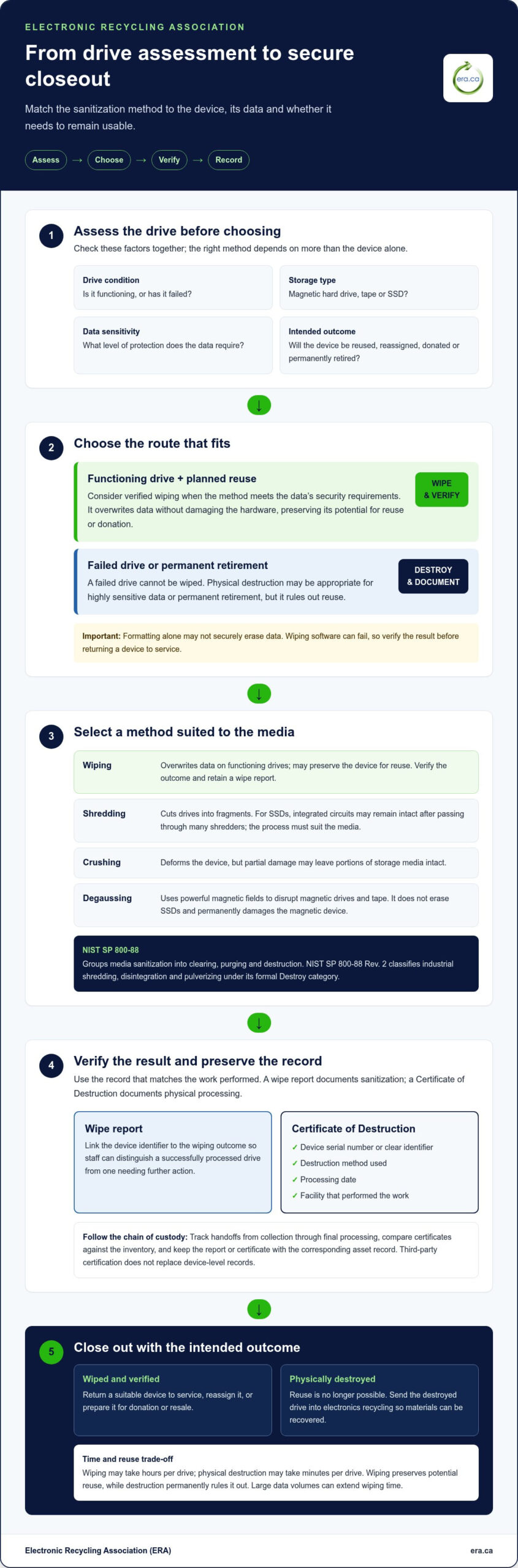
When wiping may be appropriate for internal reuse
Wiping may suit a functional hard drive an organization plans to reuse, reassign or donate. It overwrites existing data without damaging the hardware, preserving its potential value. For instance, a working laptop can be wiped before reassignment to another team. Because erasure software can fail, verify the result before returning the device to service.
One risk is incomplete overwriting, particularly if drive damage prevents software from accessing all storage areas. In some cases, sophisticated recovery tools may retrieve data from wiped drives. Use a suitable method on functioning hardware, verify the outcome and keep records linking each device to its result. Formatting alone may not securely erase data, as information could remain recoverable.
Processing time matters when planning. Wiping may take hours per drive, while physical destruction may take minutes per drive. Wiping may be more cost-effective than degaussing, although large volumes of data can extend processing. Weigh the trade-off: wiping preserves a device for possible reuse, while destruction permanently rules that out. Lease terms that prohibit physical destruction can also make wiping the practical option.
- Internal reassignment: Wipe a functioning drive before another employee receives the device.
- Donation or resale: Verify erasure before transferring hardware to a new user.
- Failed media: Choose physical processing when a damaged drive cannot be wiped reliably.
Before erasing devices intended for donation, assess whether the drive works, how sensitive its data is and who will receive it. A working drive with less-sensitive data may be suitable for wiping; highly sensitive information may call for destruction instead. Government or organizational policies and contract terms can affect the decision. Record the wipe result with the device information, then release only hardware that passes verification. This supports responsible reuse and accountable data handling.
Data security standards
Use standards to define an acceptable sanitization outcome, then select a method that suits the storage media. NIST SP 800-88 divides media sanitization into three tiers: clearing, purging and destruction. These categories help organizations distinguish routine overwrite from stronger erasure or physical processing. The right tier depends on data sensitivity, device type and reuse plans.
For magnetic hard drives, software may overwrite data, but the process must use suitable tools and include verification. Degaussing disrupts magnetic data, yet it does not erase SSDs or flash storage. For solid-state drives, wear levelling can move data beyond areas a conventional overwrite reaches. NIST SP 800-88 points to the drive’s sanitize command, cryptographic erase or industrial destruction as SSD approaches.
Canadian organizations can also account for CSEC ITSG-06 and OPS-II when shaping data-wiping and destruction processes. These references help inform internal procedures; contracts may also request a particular overwrite method. A standard does not replace device-level documentation. Record the selected method, device identifier, verification result and any exception, such as a failed drive that could not complete erasure.
- Magnetic hard drive: Apply a suitable overwrite process and verify its result, or destroy the media.
- SSD: Use its sanitize command, cryptographic erase or physical destruction.
- Failed device: Choose a process that addresses the media without relying on a completed software overwrite.
Certification and evidence of sanitization serve different purposes. A provider’s management-system certification does not, on its own, document the outcome for each drive. Pair relevant certification with device-level records and a clear chain of custody. This makes the process traceable from internal approval through final handling, including equipment sent for reuse or recycling.
For equipment requiring secure disposal, arrange secure data destruction as part of a documented sanitization process.
Electronic Recycling Association (ERA): Free electronics recycling
The Electronic Recycling Association (ERA) helps organizations manage retired computers and other electronics after they choose an appropriate data-sanitization method. ERA provides secure data destruction for equipment that should not retain accessible information, as well as free electronics recycling for equipment ready to leave service.
When computers remain suitable for another user, ERA’s charitable computer donation program helps put useful technology back into communities. Its electronics pickup service can also help organizations move equipment from their premises to the next stage of handling.
Sort devices by condition and data requirements to identify what can be reused, what needs secure data destruction and what is ready for recycling. This practical approach supports responsible equipment recovery while keeping information security in view.
Visit era.ca or contact the Electronic Recycling Association to discuss your electronics.
Make Your Next Equipment Decision Count
Make equipment retirement clear and repeatable. Set criteria for which devices stay in service, which need secure data destruction, and which are ready for reuse or recycling. Staff can then follow a consistent process whenever hardware reaches the end of its role, while keeping information security and community benefit in view.
The choice between data wiping and hard drive destruction can shape what happens to equipment next. The Electronic Recycling Association (ERA) offers secure data destruction, free electronics recycling and electronics pickup to help organizations move retired devices through appropriate next steps.
Start by identifying the equipment and its intended outcome, then choose the handling path that fits. For help arranging electronics recycling or secure data destruction, contact Electronic Recycling Association (ERA). Each thoughtful decision can support responsible resource use and create more opportunity for useful technology to serve communities.
Frequently Asked Questions
What is data wiping?
Data wiping uses software to overwrite information stored on a drive, making the original files inaccessible through ordinary use. For example, an organization can wipe a company laptop, verify the result and prepare it for reassignment. Wiping differs from deleting individual files, which removes their visible references but may leave recoverable data behind.
What about SSDs?
SSDs need a method suited to flash storage, because ordinary overwriting may not reach every data location. Wear levelling can move information between storage areas, while over-provisioning reserves space that standard overwrite commands may not address. Options include the drive’s own sanitize command, cryptographic erase or physical destruction. The right choice depends on the device’s capabilities and condition, and whether it will remain in use.
Which is more secure?
Physical destruction is appropriate when an organization needs the storage medium rendered unusable; verified wiping can support secure reuse. Base the choice on the information’s sensitivity and the organization’s risk requirements. For example, a working drive with routine business files may suit wiping, while a retired drive containing highly sensitive records may warrant destruction.
Which is required for compliance?
There isn’t one method that applies to every Canadian organization or situation. Requirements can depend on internal policies, contracts, the data involved and the applicable security framework. NIST SP 800-88 and Canadian guidance such as CSEC ITSG-06 can inform procedures. Document the selected method and its outcome, then retain records that connect the process to the specific device.
Which option is right for your business?
Choose a method based on the device’s condition and storage type, the data’s sensitivity and its planned next use. A functioning computer may be suitable for verified erasure before reassignment, while a damaged drive may not be able to complete a software wipe. Lease terms or internal policies that prohibit physical destruction also affect the decision. Record the reason for the method so staff can apply the criteria consistently.
What is the difference between data wiping and physical hard drive destruction?
Data wiping uses an erasure process to make stored information inaccessible while leaving the drive physically intact. Physical destruction damages the media and prevents ordinary reuse of that drive. The key difference between data wiping and hard drive destruction is whether the device needs to remain usable. That determines the next step: reassignment or donation after erasure, or material recovery after destruction.